New Patient Exam & Treatment Workflow
1. Add New Patient
- Enter all required patient demographic and contact information.
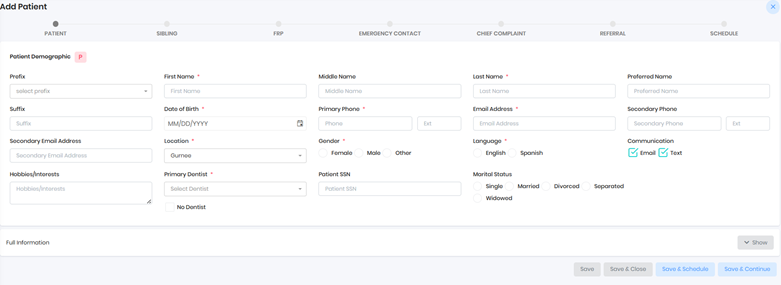
- Schedule a New Patient/Consult exam appointment.
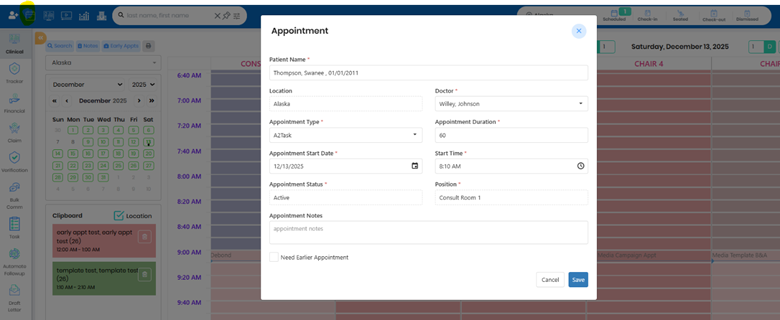
Best Practice: All new patients should begin with an Exam Appointment (Consult / New Patient Exam / NPE).
2. Initial Exam & Treatment Recommendation
- Complete the New Patient Exam (NPE).
- Recommend a treatment plan using Manage Findings or Modify Exam.

- Proceed based on clinical outcome (Treatment, Observation, or Follow-up).
3. Consult → Observation Workflow
If the consult exam is completed and the patient is not ready to begin treatment:
- Modify the exam result to Observation.
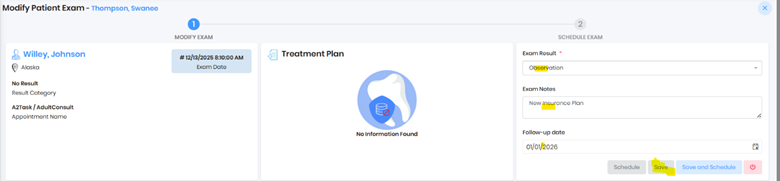
- Assign a follow-up date.
- Monitor patient readiness for future scheduling.
4. Phase 1 → Phase 2 Treatment Transition
Step 1: Schedule and complete the New Patient Exam (NPE).
Step 2: Recommend treatment, create the Phase 1 Treatment Plan, and obtain a signed contract.
Step 3: Upon completion of Phase 1:
- Schedule the Phase 2 Exam.
- Close the Phase 1 exam before scheduling the new exam.
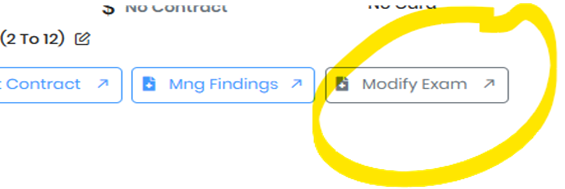
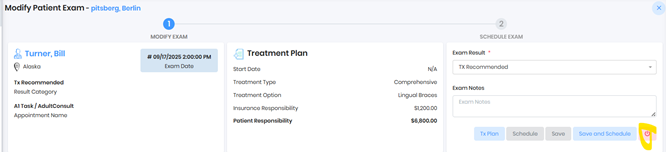
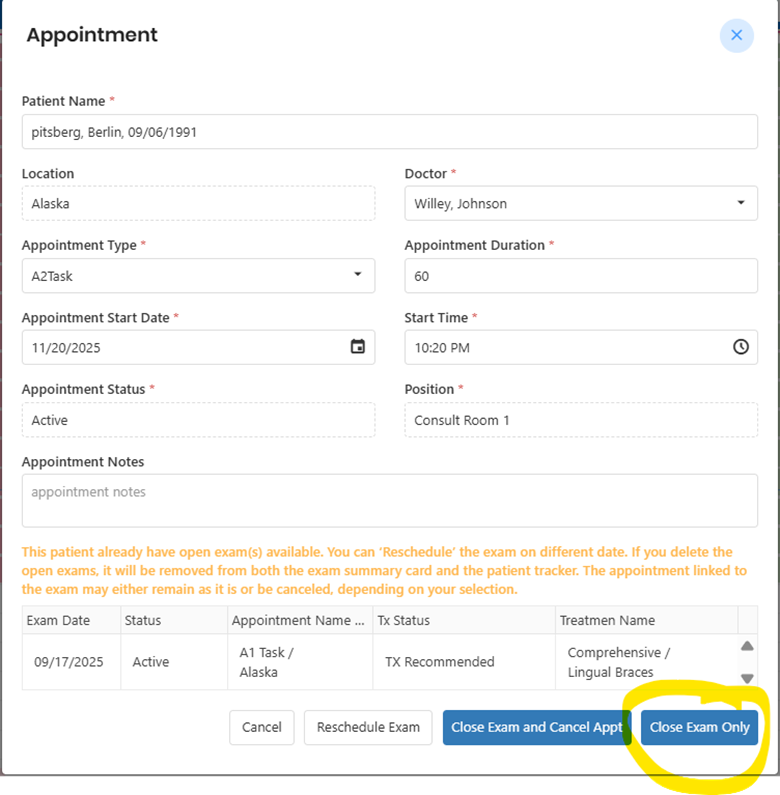
Step 4: Complete the Phase 2 Exam, recommend the treatment plan, and obtain the Phase 2 contract signature.
Important: An exam must always be closed before scheduling another exam.
Note: All exams and appointments are automatically logged in Appointment History.
5. Observation → Start Treatment Contract
Step 1: Update the NPE result to Observation and set a follow-up date.
Step 2: When the patient is ready:
- Schedule a Readiness (New) Exam.
- Close the prior Observation exam.
Step 3: Recommend treatment and obtain a signed contract.
Note: All appointment actions are captured in Appointment History.
6. No-Show or Patient-Cancelled Exam
If an exam appointment is marked No Show or Cancelled, choose one of the following paths:
Option A: Reschedule Exam
- Removes the no-show/cancelled appointment from the daily schedule.
- Adds a newly rescheduled exam appointment.
- The original exam remains active.
Option B: Close the No-Show Exam
- Close the no-show exam.
- Create a new exam for future treatment.
Note: All updates, actions, and status changes are fully logged in Appointment History.
7. Completed Exam Rules
- Do not reschedule completed appointments.
- Completed exams are final and cannot be reopened.
8. Multiple Exams Rule (Critical)
- A patient may have only one active exam at any time.
- Always close the active exam before scheduling a new exam.
- This ensures accurate tracking, automation, follow-ups, and reporting.
Never reschedule an exam that is marked as Completed.
Was this article helpful?
That’s Great!
Thank you for your feedback
Sorry! We couldn't be helpful
Thank you for your feedback
Feedback sent
We appreciate your effort and will try to fix the article