Practice Set Up : OrthoSync
- Appointment Group should be set up and an exam appointment should be set up for the Initial or the first appointment
- Check the claim set up
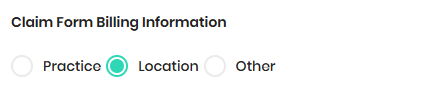
- On the Practice Info and Location (Lookup) - Please update the NPI/License/Taxid
- Verify Communication email and Phone on the location
- Set up patient status
- Set up users and Doctor should be set up in Doctor Role and update NPI/License/TaxId
- Set up Schedule Template : OrthoSync
- OrthoPMS will set up default Findings - Office can modify the findings to meet their needs
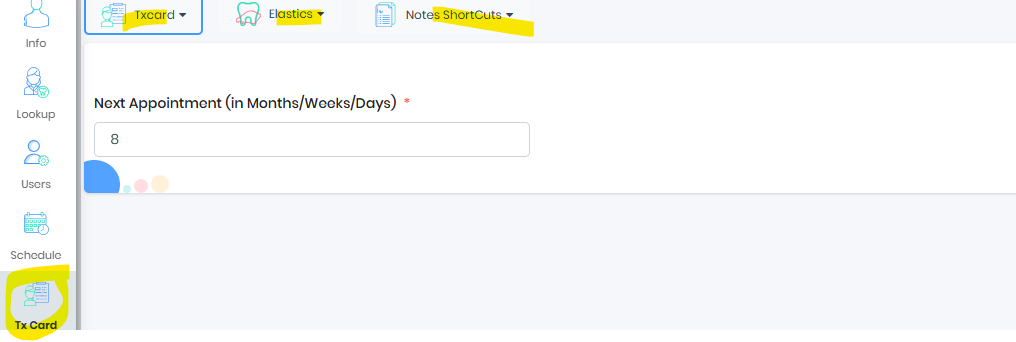
- Set up Tx Card
- Set up Reminder Templates, if its not set up by the OPMS team
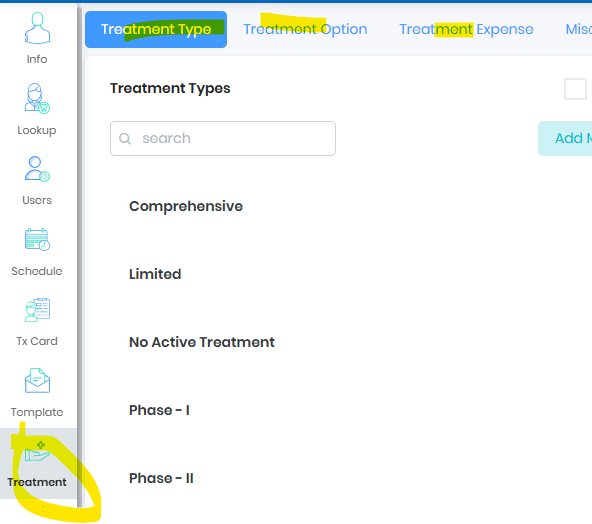
- Set up Treatment Type/Option/Expense
- Insurance list will be migrated from the old software
- Live Ops : OrthoSync
- Start the new patient with exam appointment type only
- Update Exam status to Treatment Recommended (Managed Findings Or Modify Exam)
- Recommend Treatment plan from Managed Findings or from Start Treatment button on the exam card
- Exam Workflow : OrthoSync
- Signing Contract : OrthoSync
- Claims will appear on the Pending claims dashboard once contract is signed Statement of Actual Services : OrthoSync , Automatic file mode claims appearing on the dashboard : OrthoSync, Pre Authorization Claims : OrthoSync
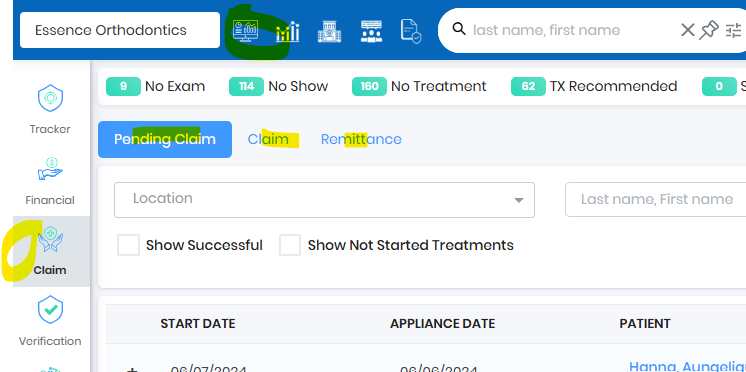
- Remittance will be used to upload EOB - EOB Upload : OrthoSync
- Add New Insurance : OrthoSync
- Insurance Verification : OrthoSync
- Send Payment Widget : OrthoSync
- Sign@Home : OrthoSync
- Reset Patient Password (Default Password) : OrthoSync
Was this article helpful?
That’s Great!
Thank you for your feedback
Sorry! We couldn't be helpful
Thank you for your feedback
Feedback sent
We appreciate your effort and will try to fix the article