Go to Practice Configuration=>Claims=>Remittance=>Pay Now
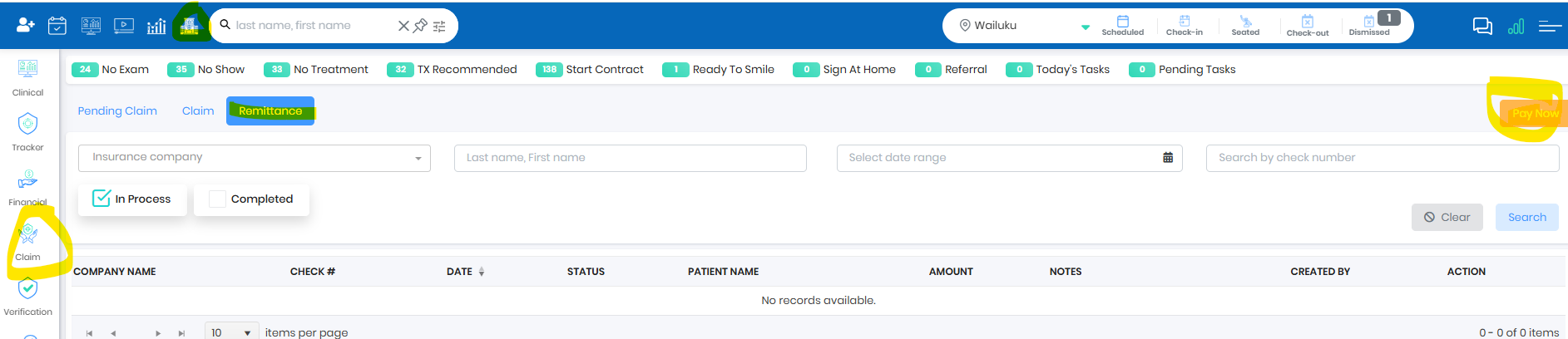
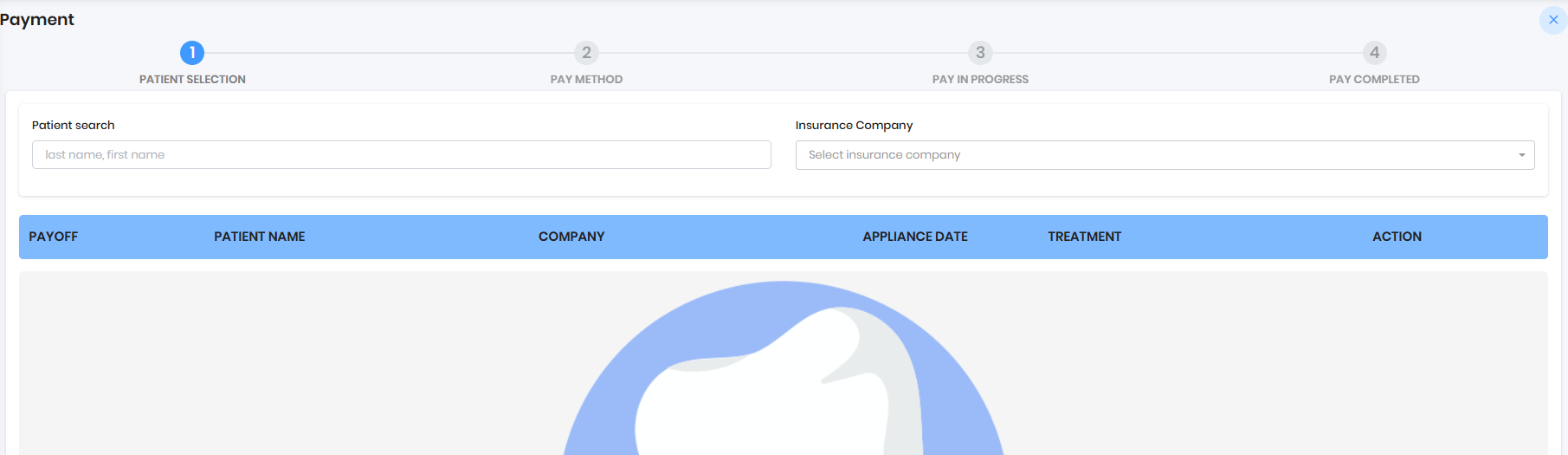
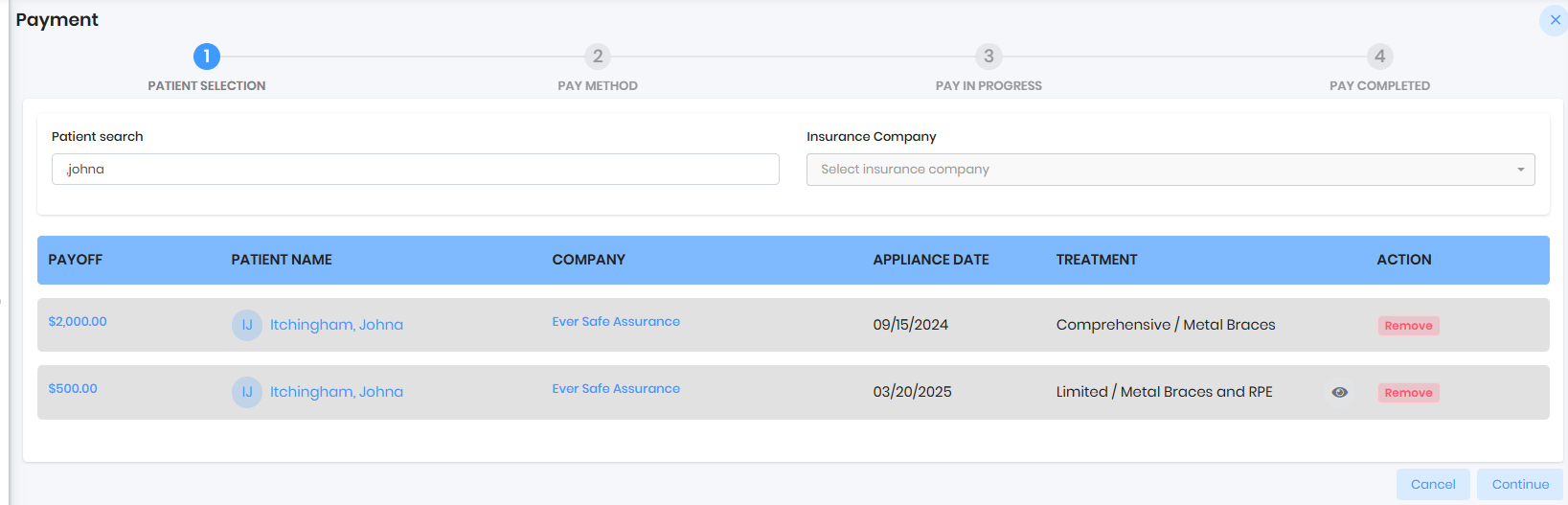
Search by Patient or Insurance Company and Select the Patients and Continue
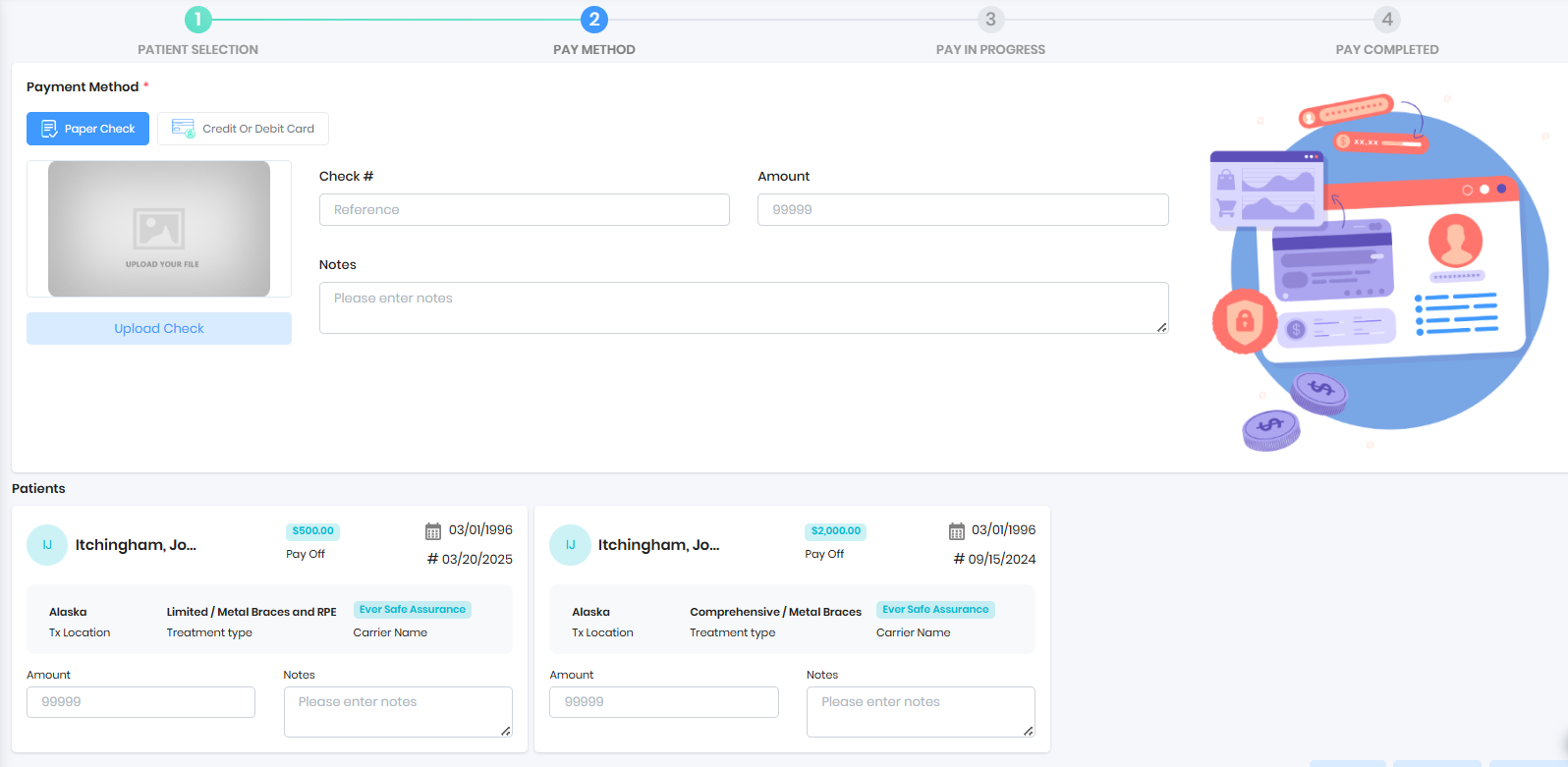
Process Check
- Upload the insurance check along with EOB
- Populate check number and check amount
- Carefully select the amount for each patient from EOB
- Add DOS in the notes section
- Pay Now
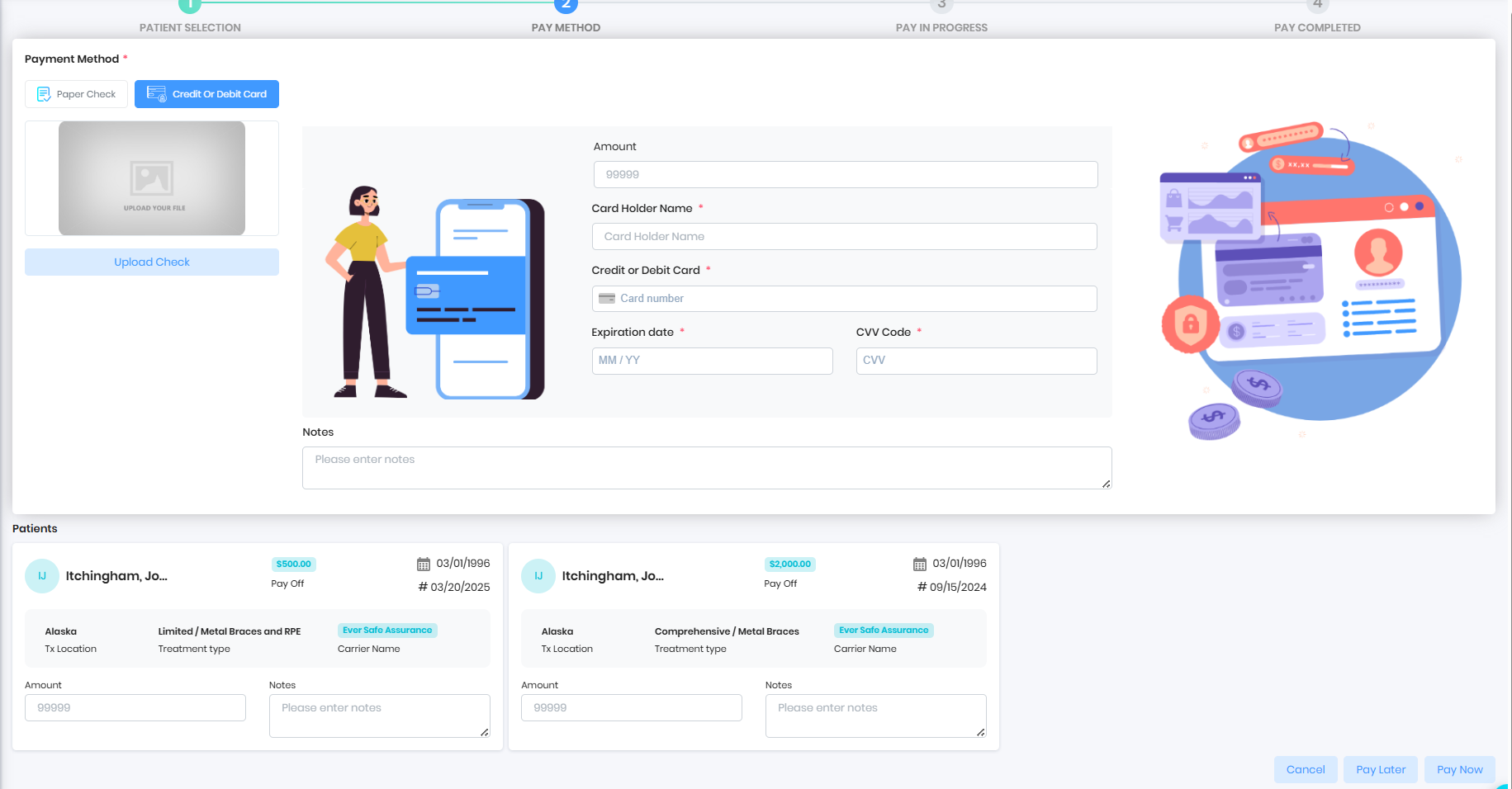
Process Card
- Upload the insurance EOB
- Populate card amount
- Populate credit card details
- Carefully select the amount for each patient from EOB
- Add DOS in the notes section
- Pay Now
Was this article helpful?
That’s Great!
Thank you for your feedback
Sorry! We couldn't be helpful
Thank you for your feedback
Feedback sent
We appreciate your effort and will try to fix the article