Practice Sends Payment Widget to the Patient
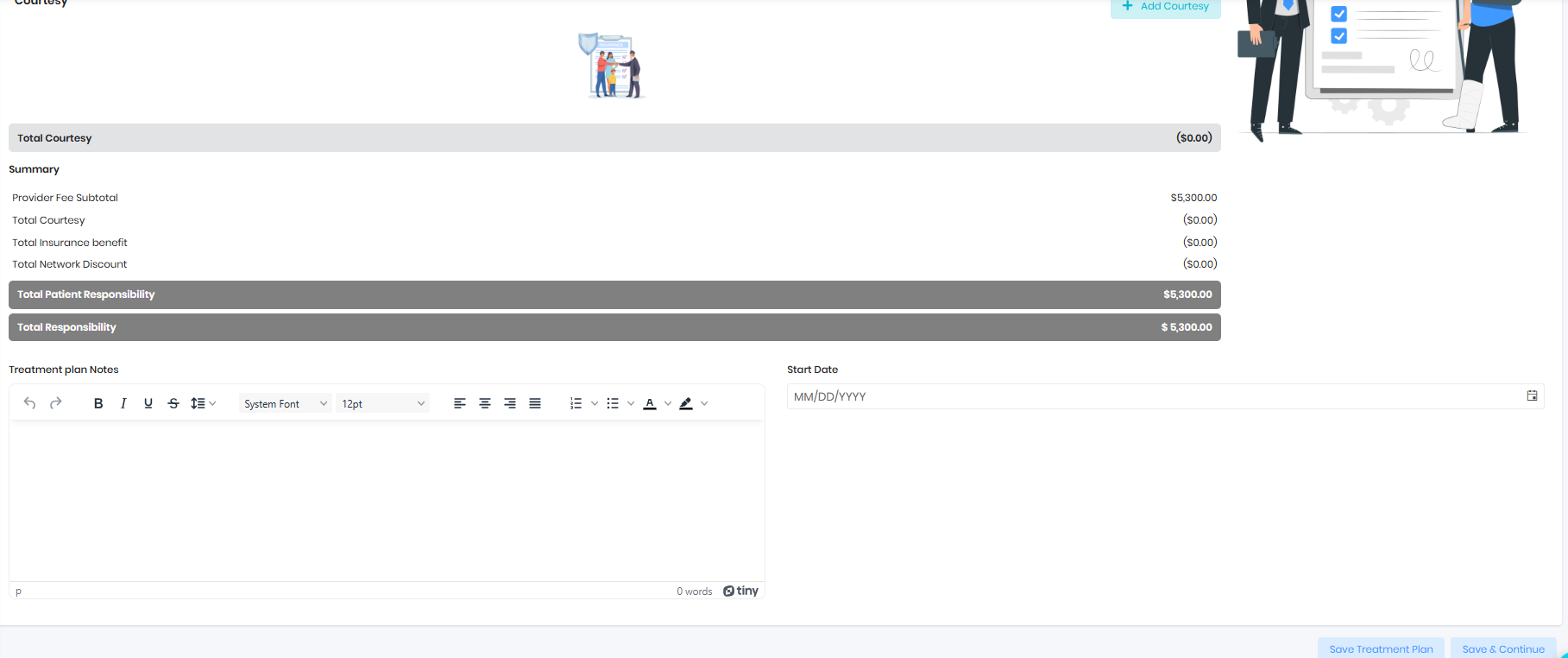
- Start Contract from the exam card, if the Tx plan is already recommended
- Save & Continue on the Tx plan page
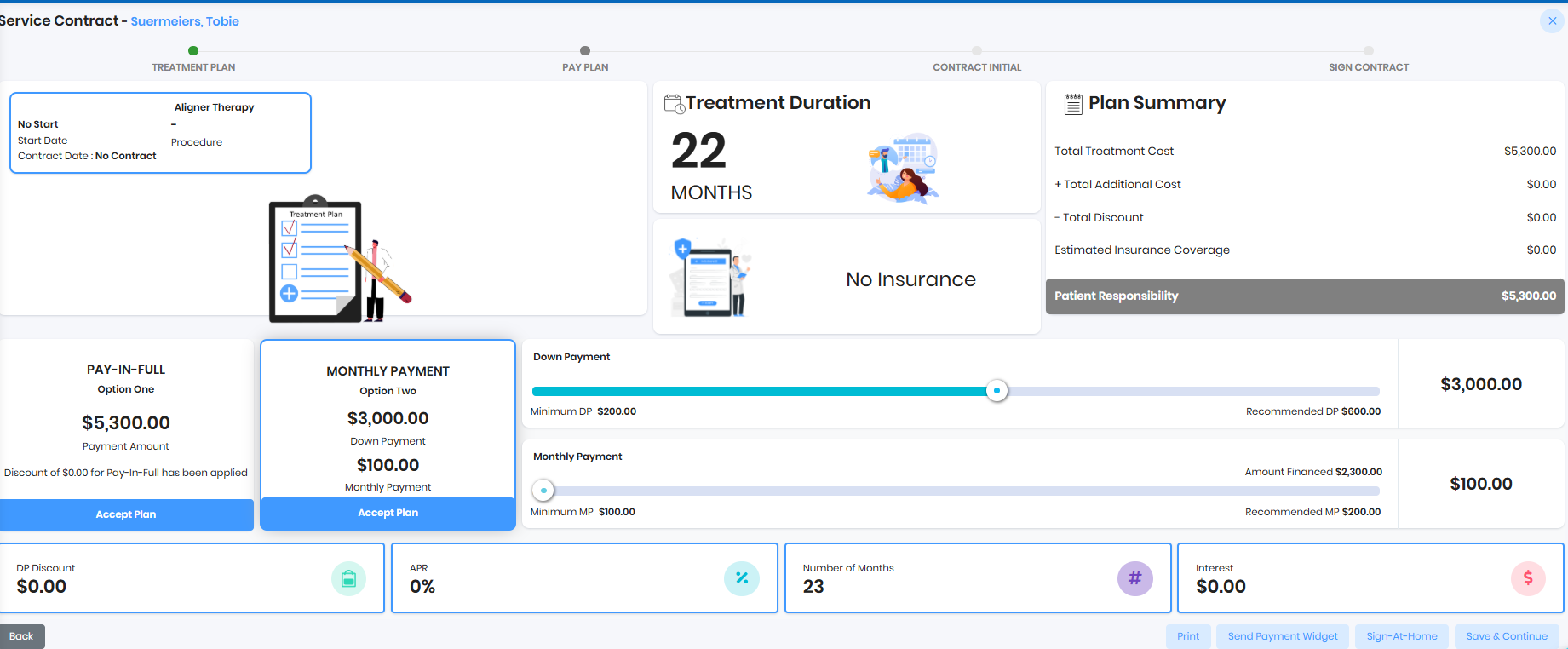
- Adjust the down payment and monthly payment slider and click on the Send Payment Widget
Patient Logs in using the link sent by the practice
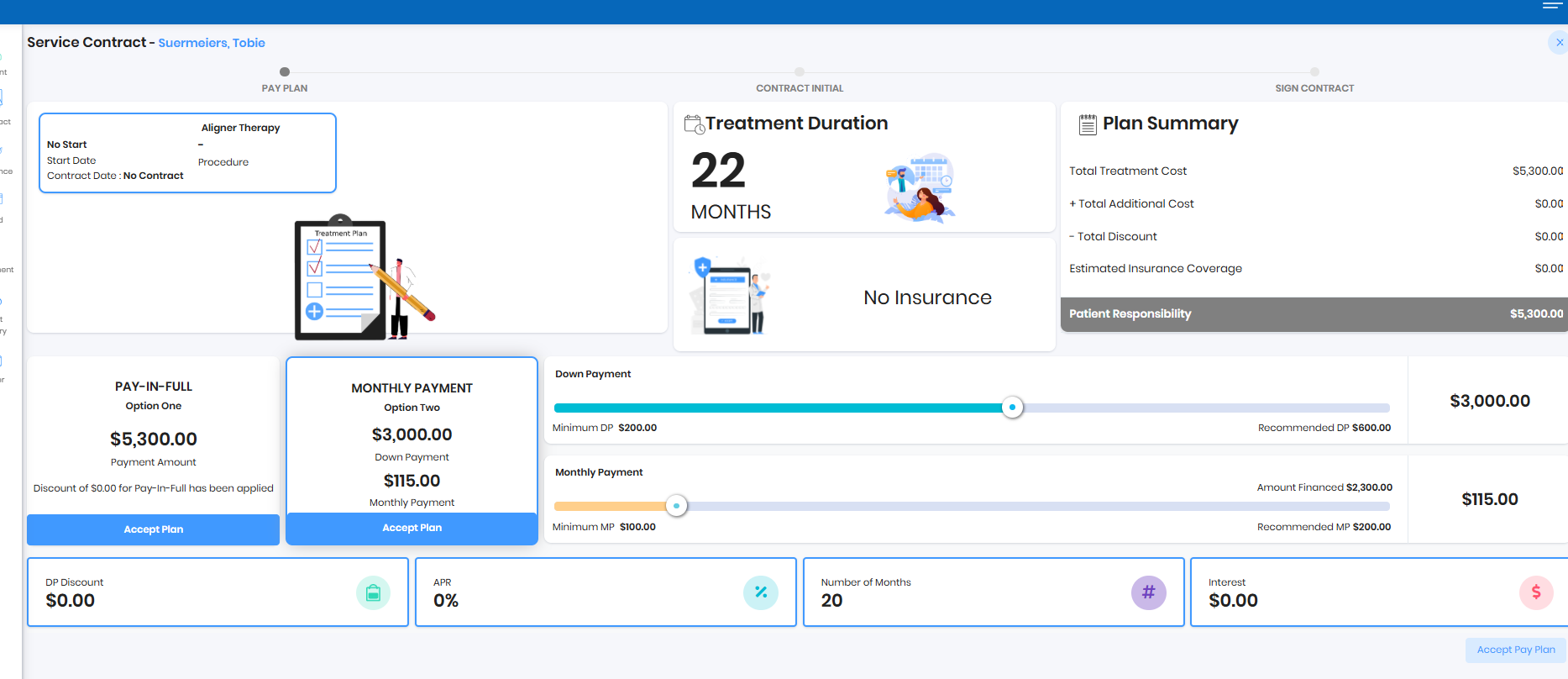
- Patient can set the down payment and monthly payment using the slider
- Patient can accept the pay in full
- Accepted payment plan will be shown in ReadyToSmile Bucket
Was this article helpful?
That’s Great!
Thank you for your feedback
Sorry! We couldn't be helpful
Thank you for your feedback
Feedback sent
We appreciate your effort and will try to fix the article