Create Policy
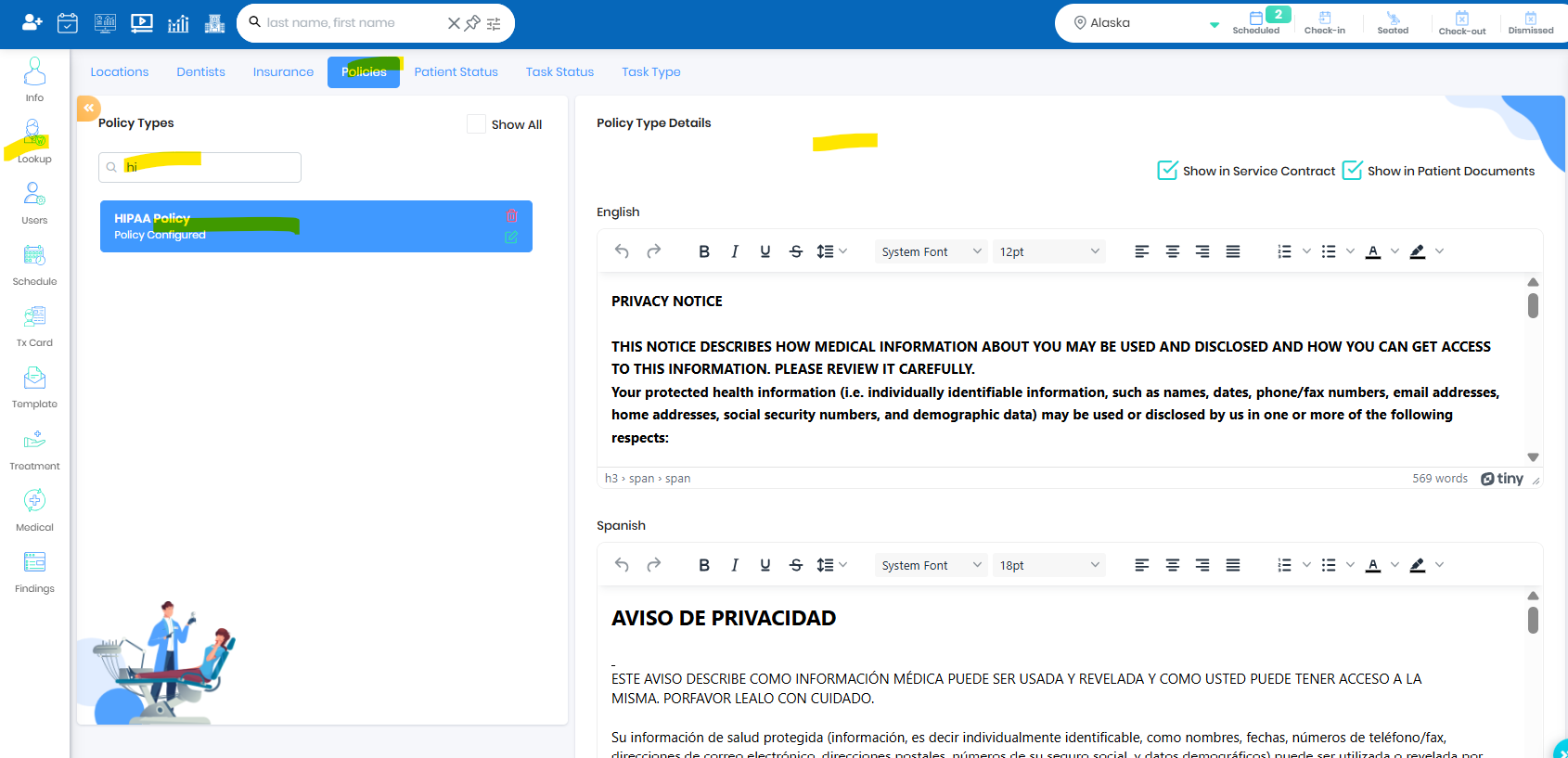
- Set up policy under Practice set up -> Lookup -> Policies
Associate Policy to Appointment Type
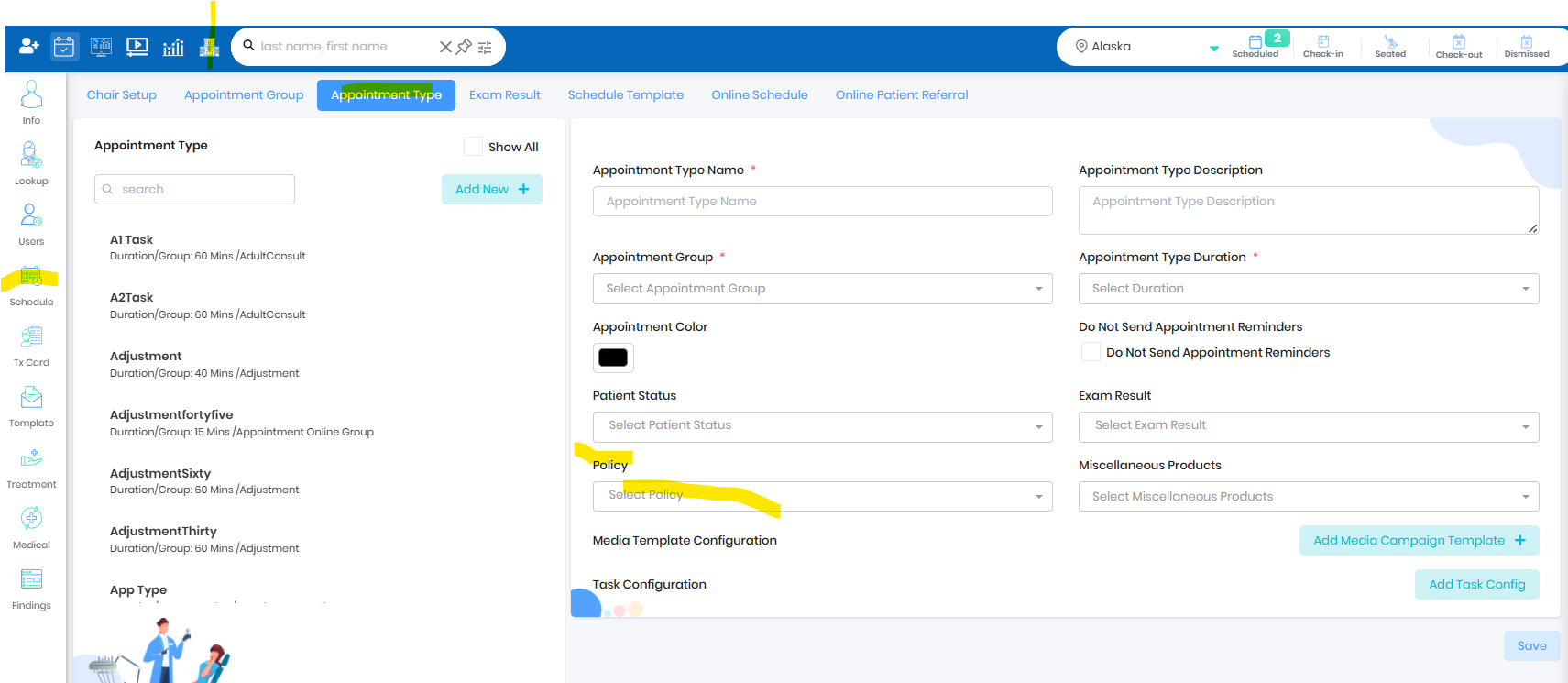
- Associate the respective policy to the appointment type
- During check in the policy will pop up for patient/FRP/PC signature.
Was this article helpful?
That’s Great!
Thank you for your feedback
Sorry! We couldn't be helpful
Thank you for your feedback
Feedback sent
We appreciate your effort and will try to fix the article