Task Assignment with Appointment:
- Navigate to Practice Configuration -> Schedule -> Appointment Type -> Edit Appointment Type -> Add Task Config
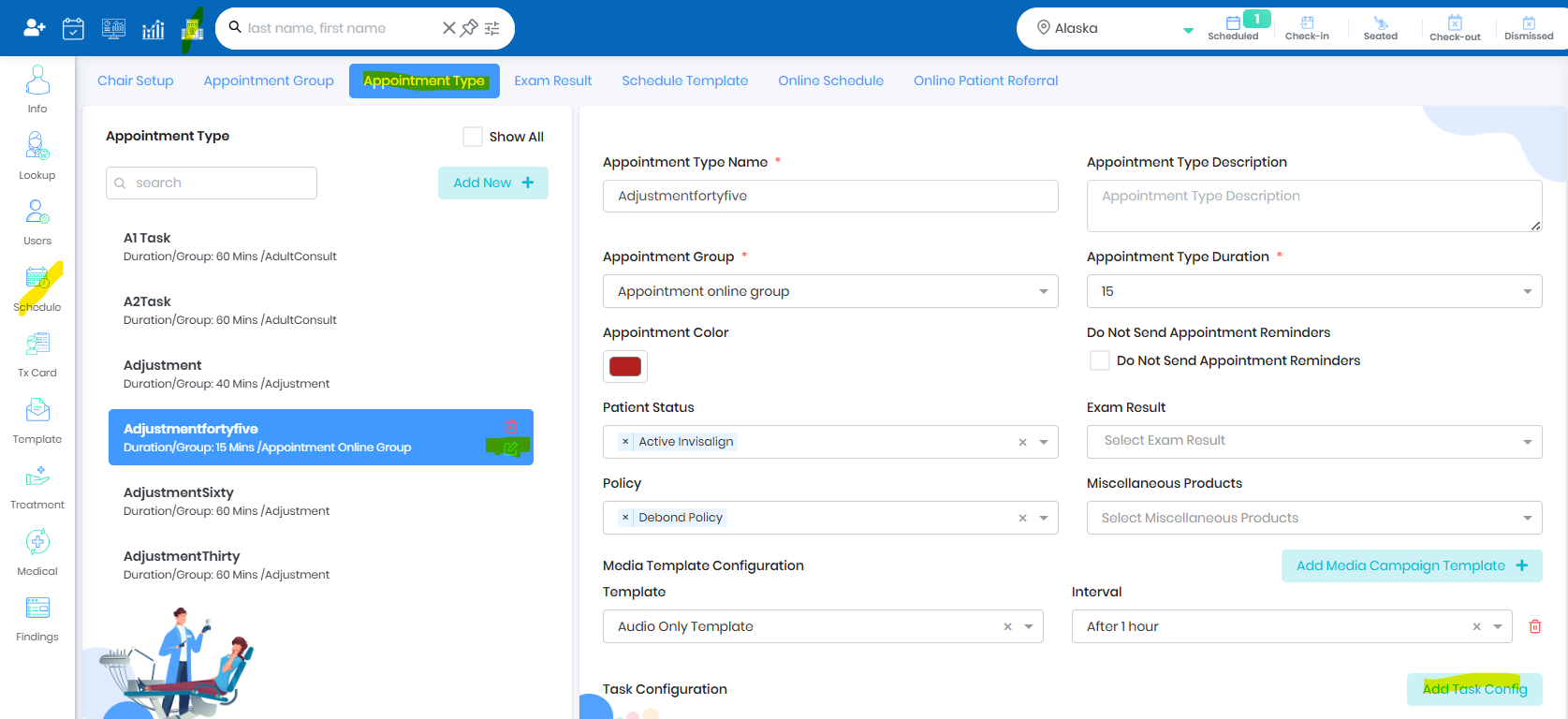
- Click Add Task Config
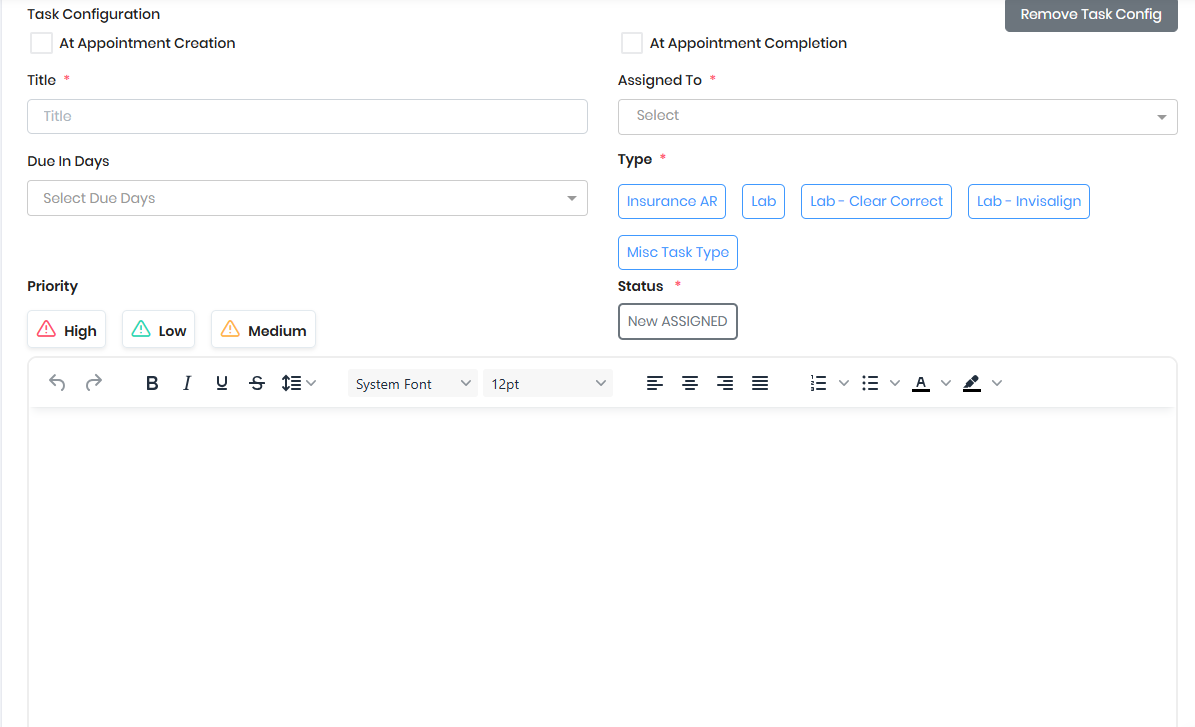
- Check At Appointment Creation or Completion for the task to be created when appointment is created or when the patient is dismissed
- Provide Task Title, Assigned single or Multiple users, configure Due Date , Task Type, Task Status and Priority
- Provide Notes to explain the task to the assigned user
- When the appointment type is created for the patient, respective task will be created and assigned to the user if At Appointment Creation was checked
- When the patient is dismissed for the appointment, respective task will be created and assigned to the user if At Appointment Completion was checked
- Patient Card will show the list of Tasks New/InProgress/Due/Completed
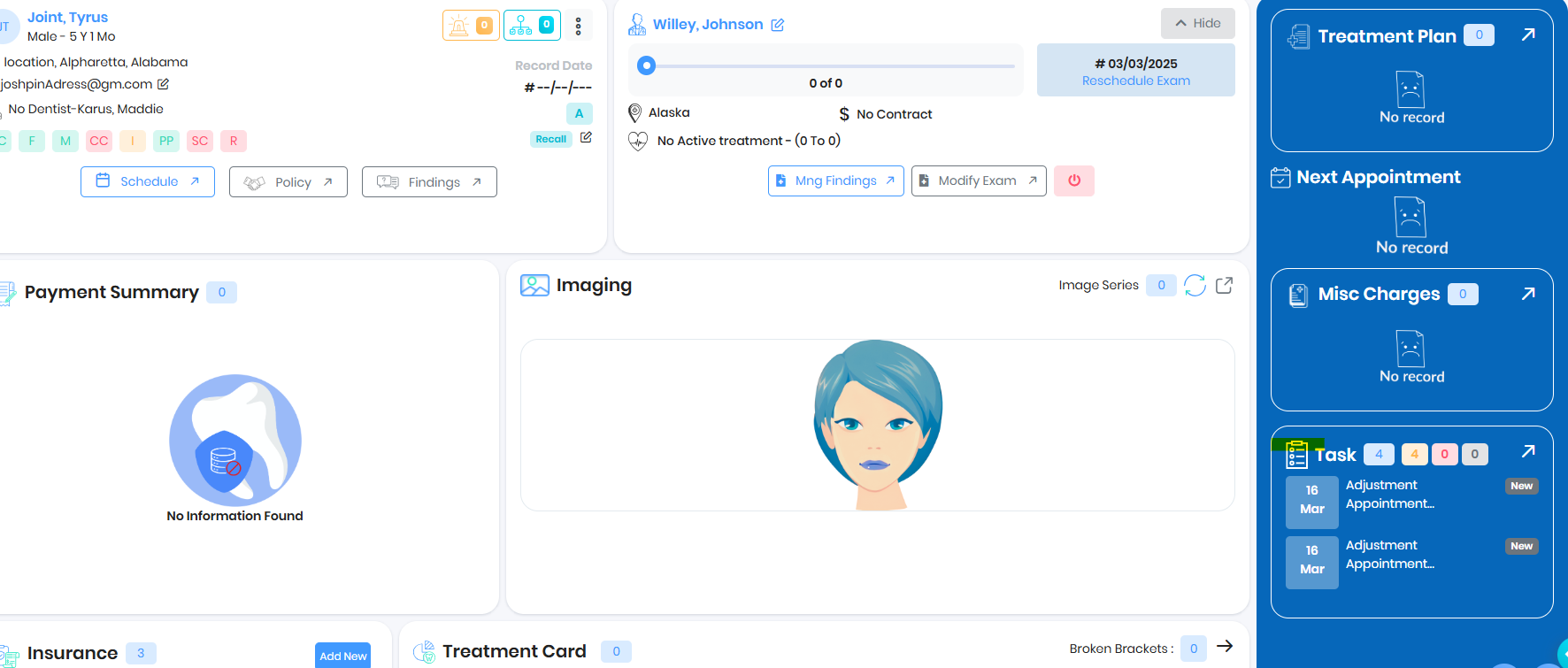
- Arrow button will redirect the user to Task Dashboard
Was this article helpful?
That’s Great!
Thank you for your feedback
Sorry! We couldn't be helpful
Thank you for your feedback
Feedback sent
We appreciate your effort and will try to fix the article