Automatic Patient Management through Appointment Type
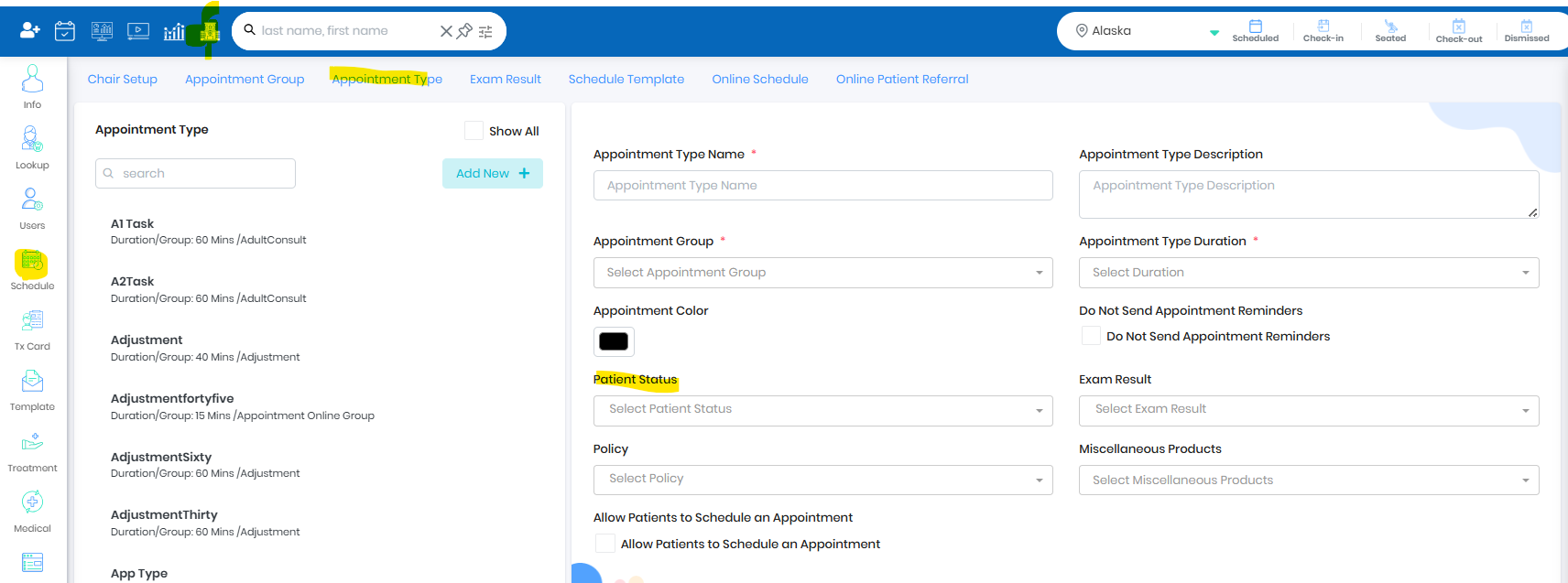
- Set up single or multiple patient status using appointment type
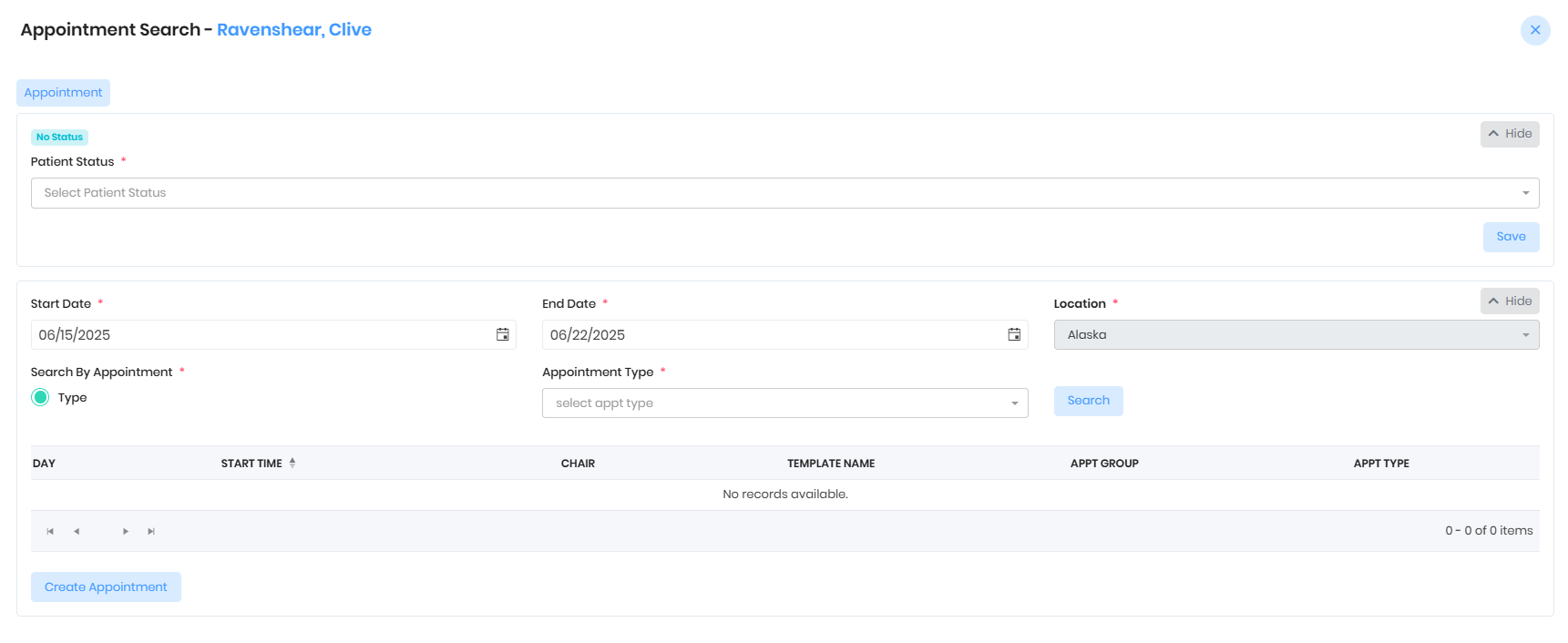
- When patient is dismissed through the light bar, pop up will ask the user to update the patient status
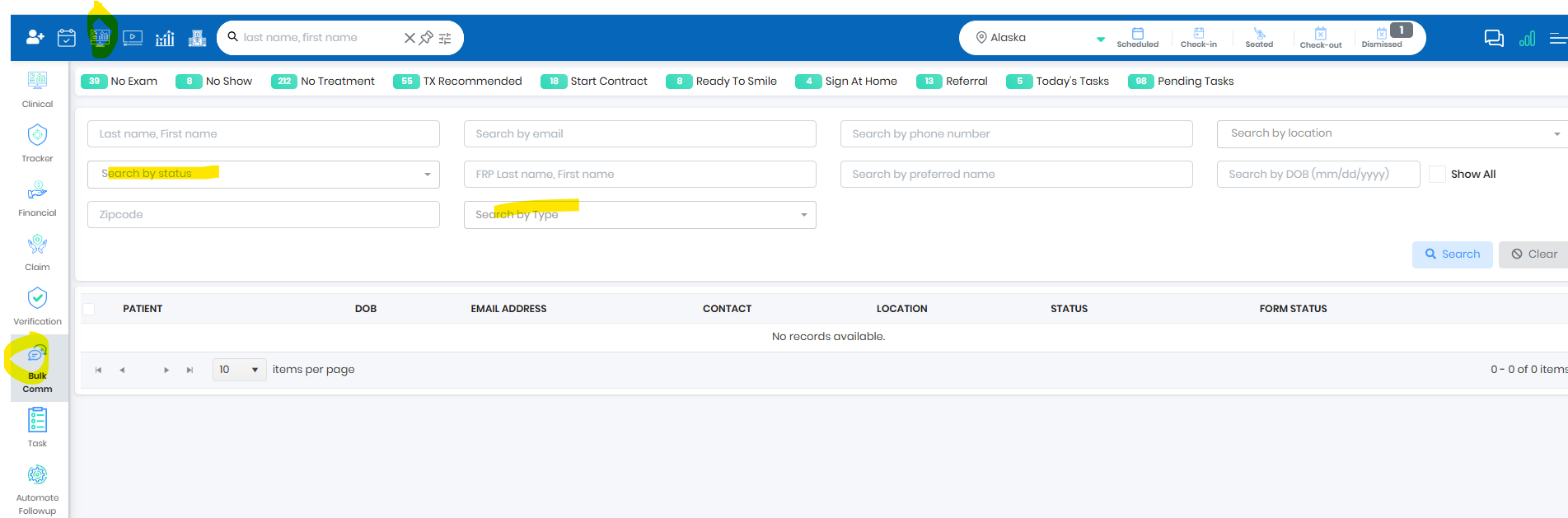
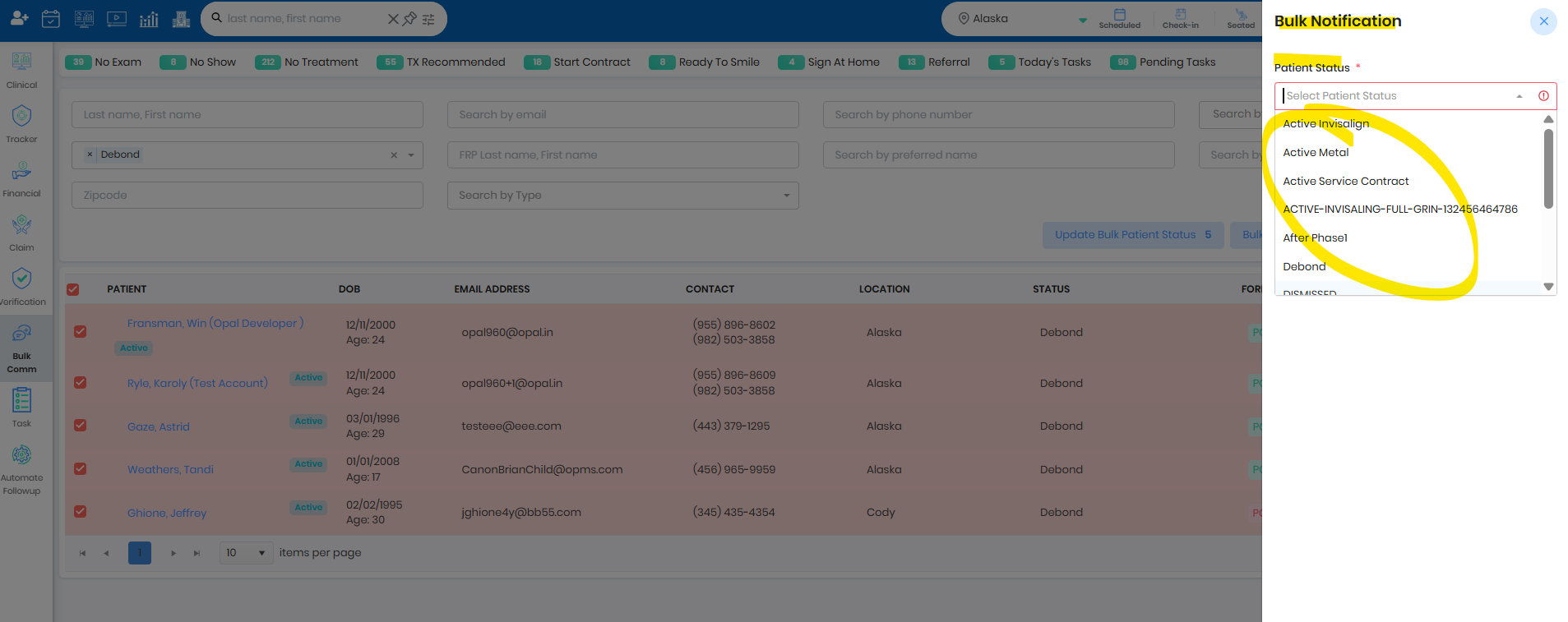
Patient Status By Bulk Communication
- Search patient using the filters
- Select the patients
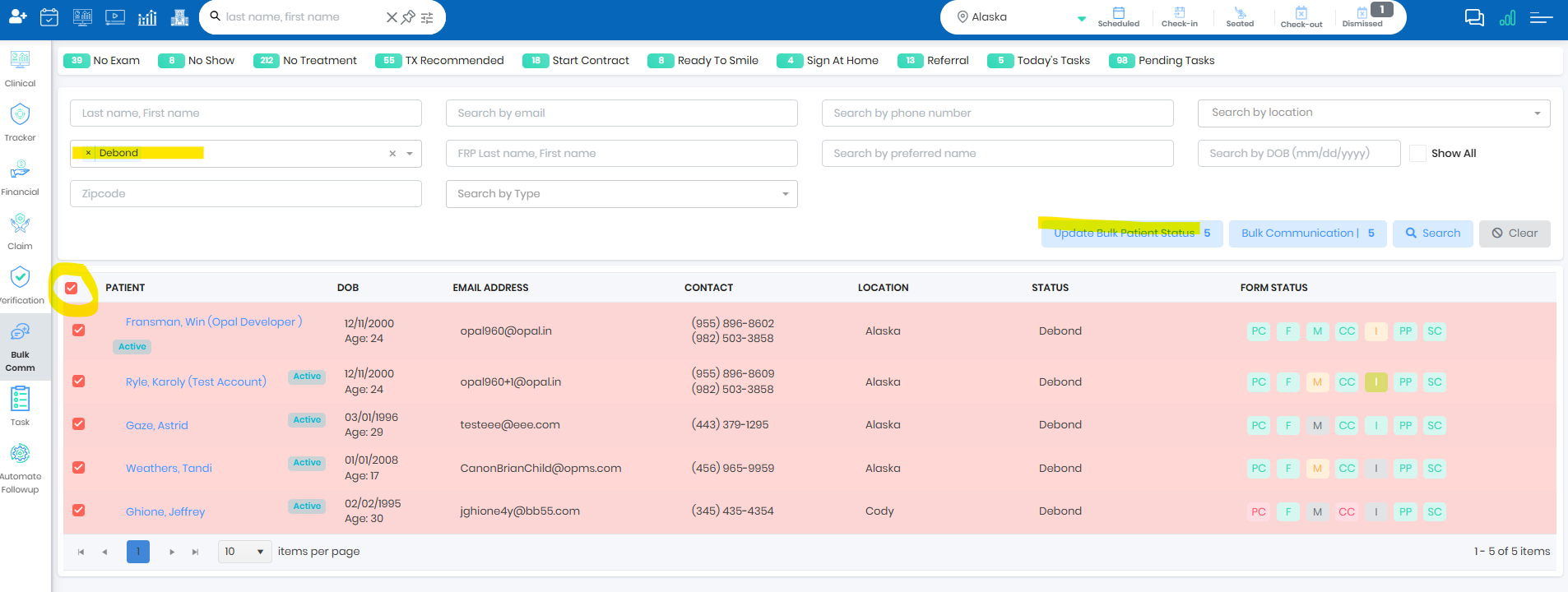
- Update patient status in bulk or select patients
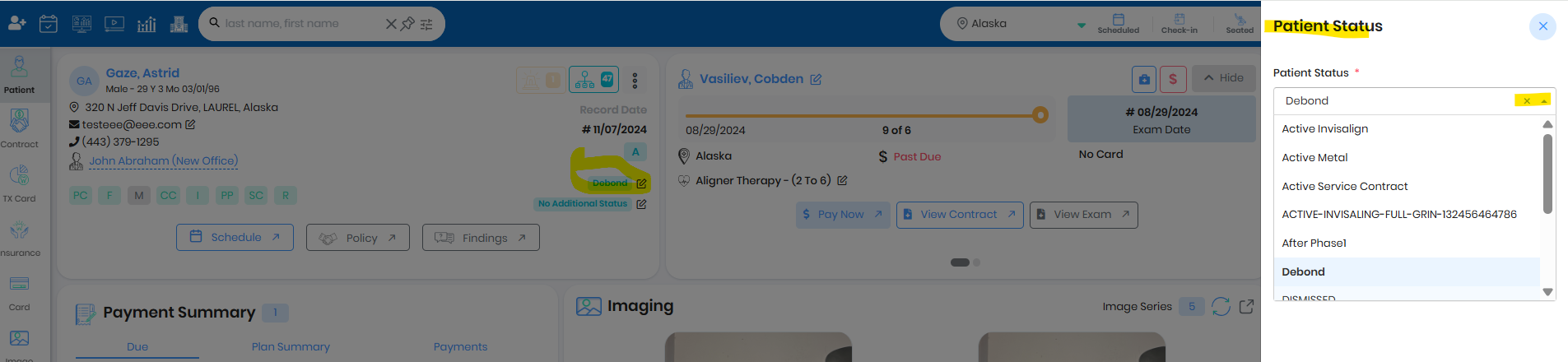
Update Patient Status using patient portal
- Update patient status by clicking on the status edit icon and update the respective status
Was this article helpful?
That’s Great!
Thank you for your feedback
Sorry! We couldn't be helpful
Thank you for your feedback
Feedback sent
We appreciate your effort and will try to fix the article