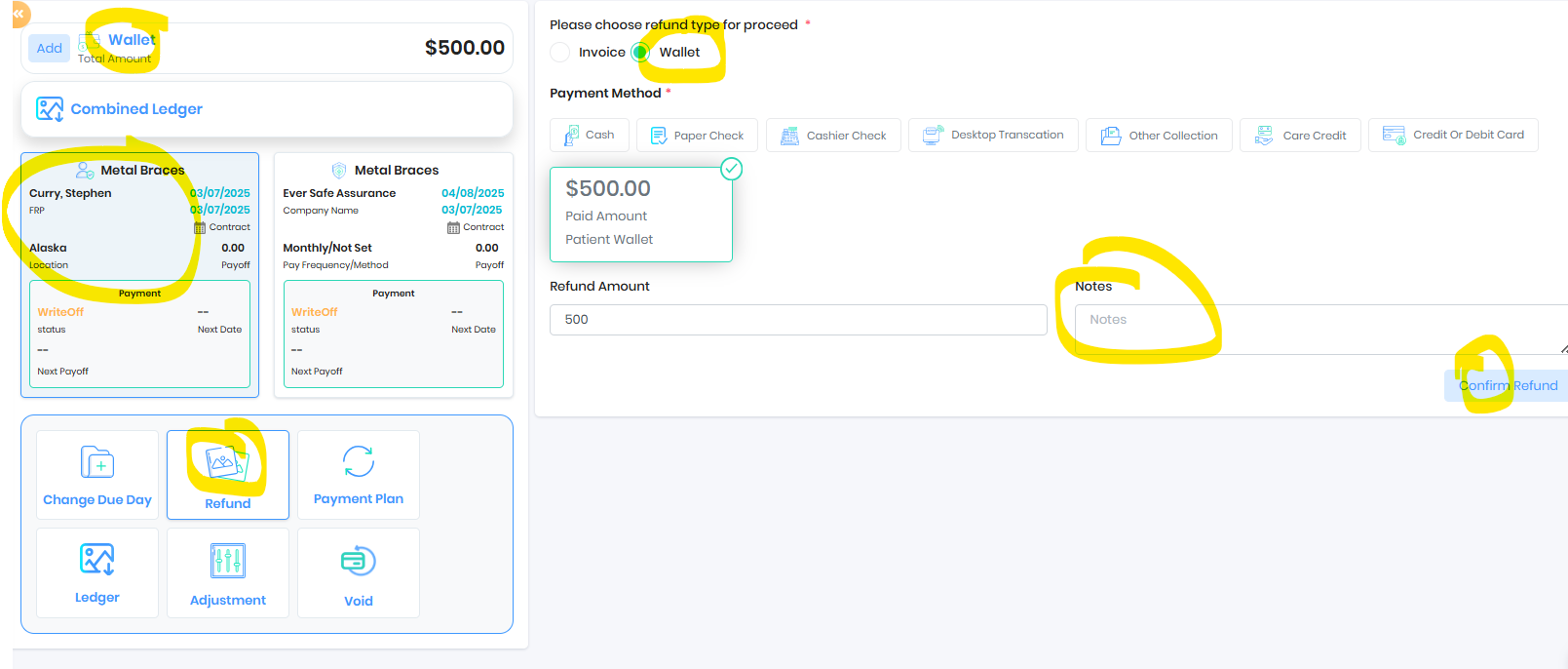
Please find the steps below for processing a refund of wallet credit:
1. Select the **FRP** tile.
2. Choose **Refund**, then select **Wallet** for wallet refund OR
3. Choose **Refund**, then select **Invoice** or custom payment to refund
4. Select the desired refund payment method.
5. Record notes for future clarification.
Was this article helpful?
That’s Great!
Thank you for your feedback
Sorry! We couldn't be helpful
Thank you for your feedback
Feedback sent
We appreciate your effort and will try to fix the article