Chrome browser latest update has introduced an issue with Twain
Resolution
1. To Manually Correct This in Chrome
- Navigate to OrthoSync.https://app.orthosync.ai/dashboard/clinical
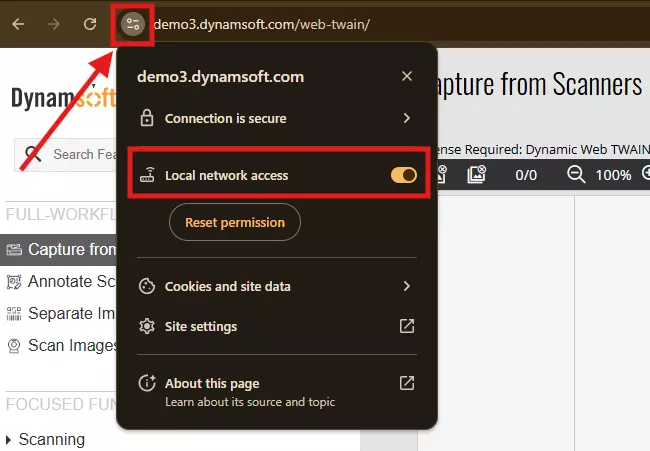
- Click the lock/settings icon in the browser address bar.
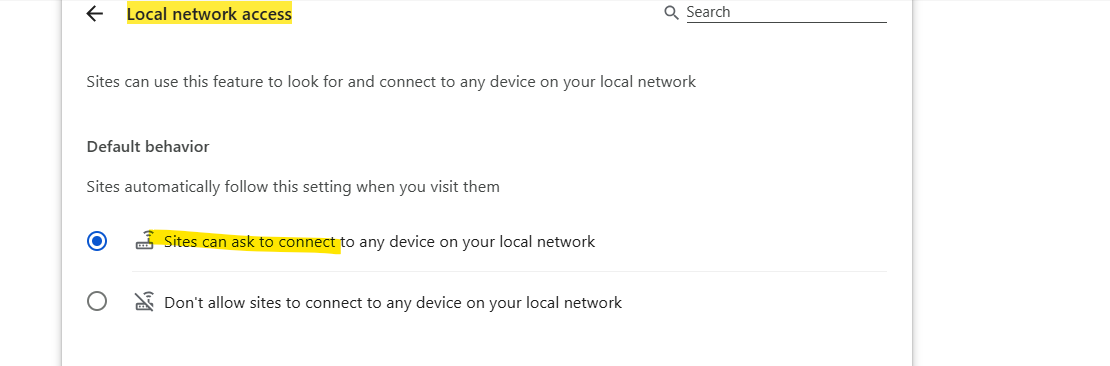
- Ensure that Local Network Access is enabled.
OR
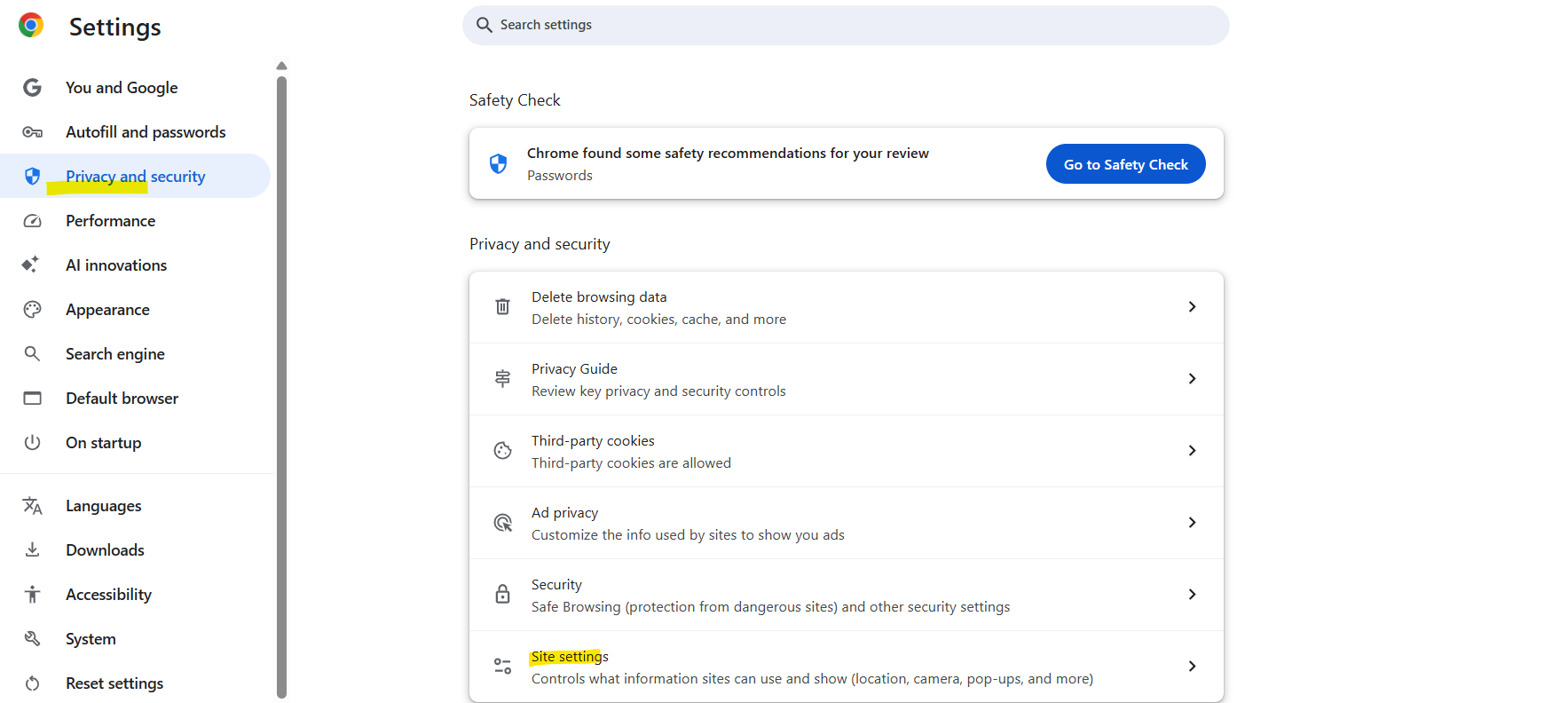
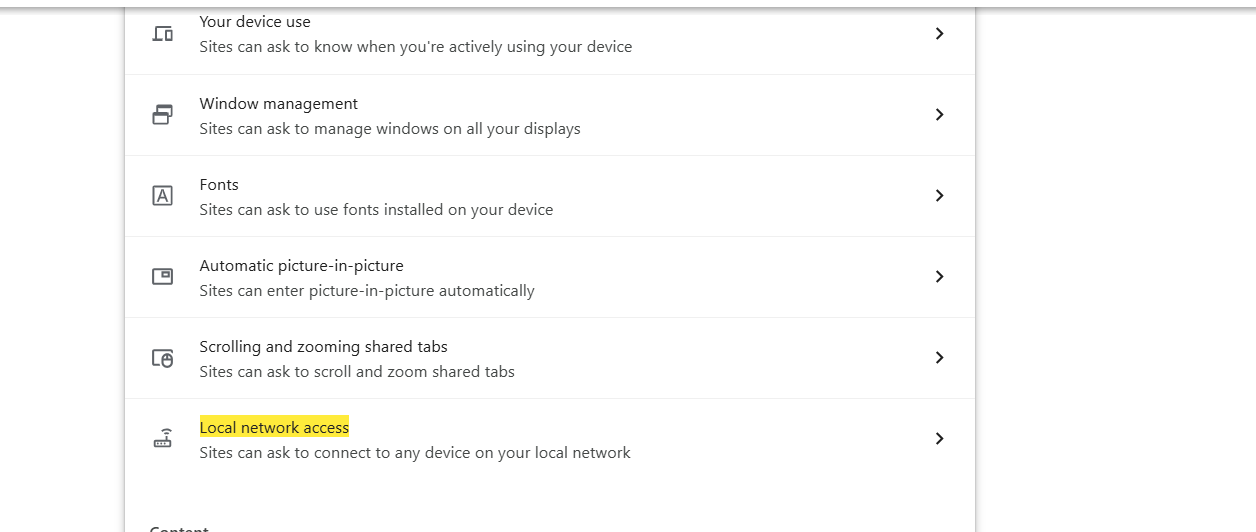
Chrome → Settings → Privacy and Security → Site Settings → Local network access
Was this article helpful?
That’s Great!
Thank you for your feedback
Sorry! We couldn't be helpful
Thank you for your feedback
Feedback sent
We appreciate your effort and will try to fix the article