Online Scheduling
- Set up online scheduling by associating with an appointment type
- Use the URL on social websites and practice website
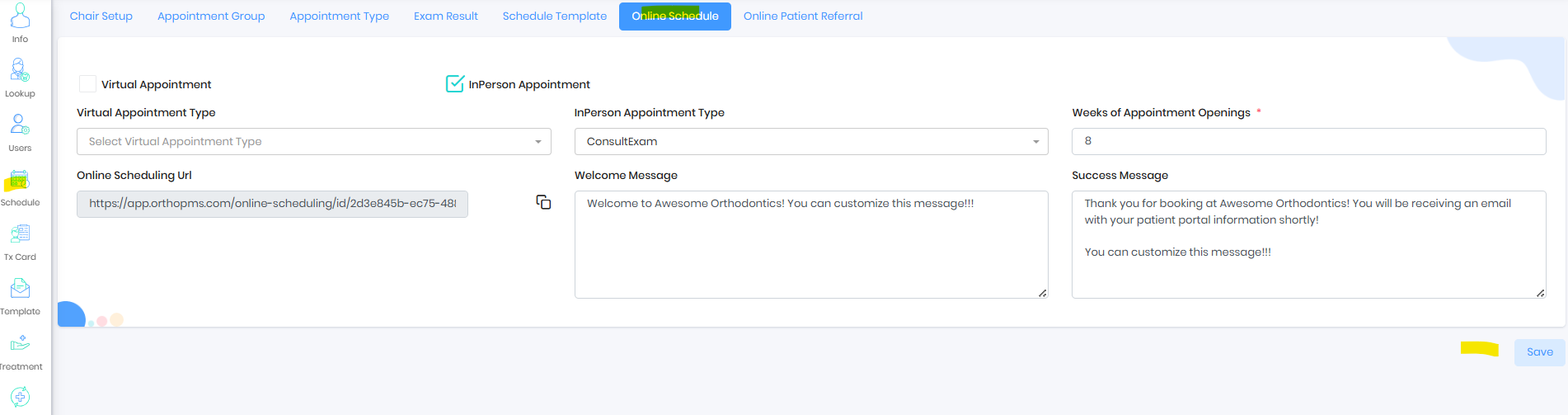
UTM tracking for referral attribution
UTM tracking is a method of tagging URLs with identifiers (utm_source, utm_medium, etc.) to measure where traffic and conversions are coming from. This email outlines the standardized UTM URL format we will be using moving forward. The variables appended after the “?” will be parsed to identify both primary and secondary referral sources based on user entry.online-scheduling/id/2d3e845b-ec75-4887-af24-54166ed323ea?utm_source=WellingtonMall&utm_medium=MallDisplayQRCode&utm_campaign=MallDisplay&utm_id=MallDisplay`
Quick Marketing Example
This tells you:
source = Instagram
medium = story ad format
campaign = which initiative
id = specific placement/version
Formatting Notes
No variable is mandatory.
When using multiple variables, an ampersand
&must be used to separate them.Example order:
?utm_source=xxx&utm_medium=yyy&utm_campaign=zzz&utm_id=aaa
Here is an example URL:
`https://app.orthosync.ai/Referral Section
If you are advertising through channels like a mall, Facebook, school, or Instagram, you can modify these attributes and share a unique link or generate a QR code for each campaign to accurately track those specific referrals.
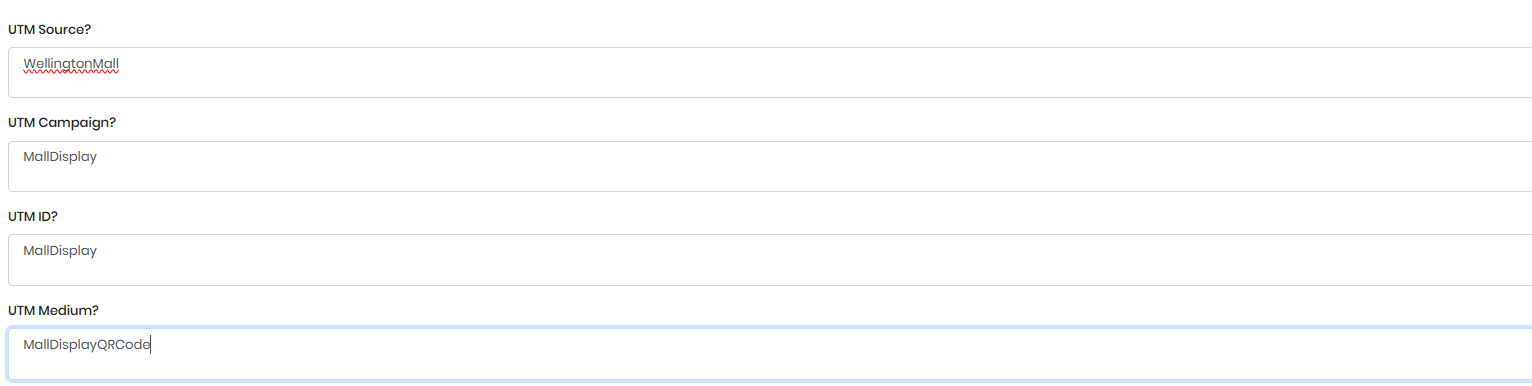
Referral Report
Report will show the key variables
Was this article helpful?
That’s Great!
Thank you for your feedback
Sorry! We couldn't be helpful
Thank you for your feedback
Feedback sent
We appreciate your effort and will try to fix the article