- Request OrthoPMS admin to enable this feature for your office
Set Up Self Scheduling
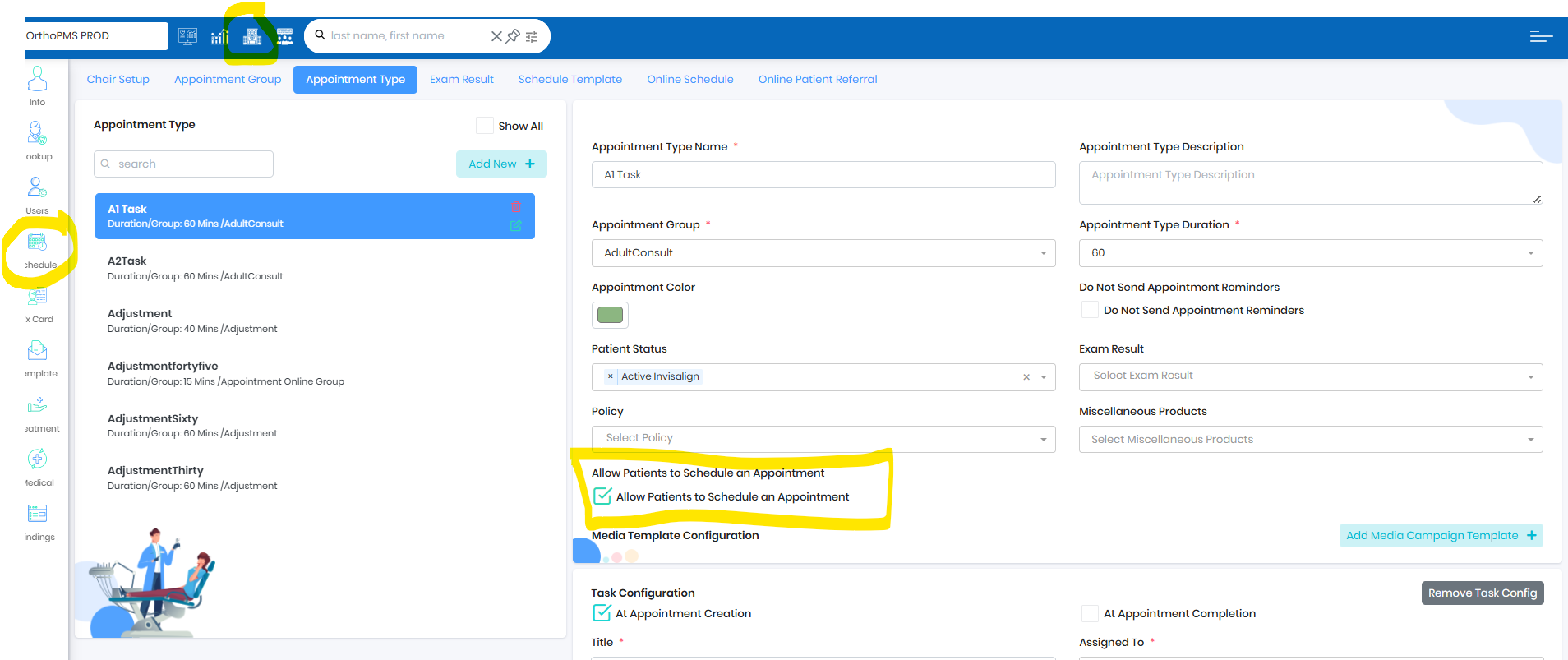
- Enable Allow Patients to Schedule an Appointment for any needed Appointment Type
Text/Email URL
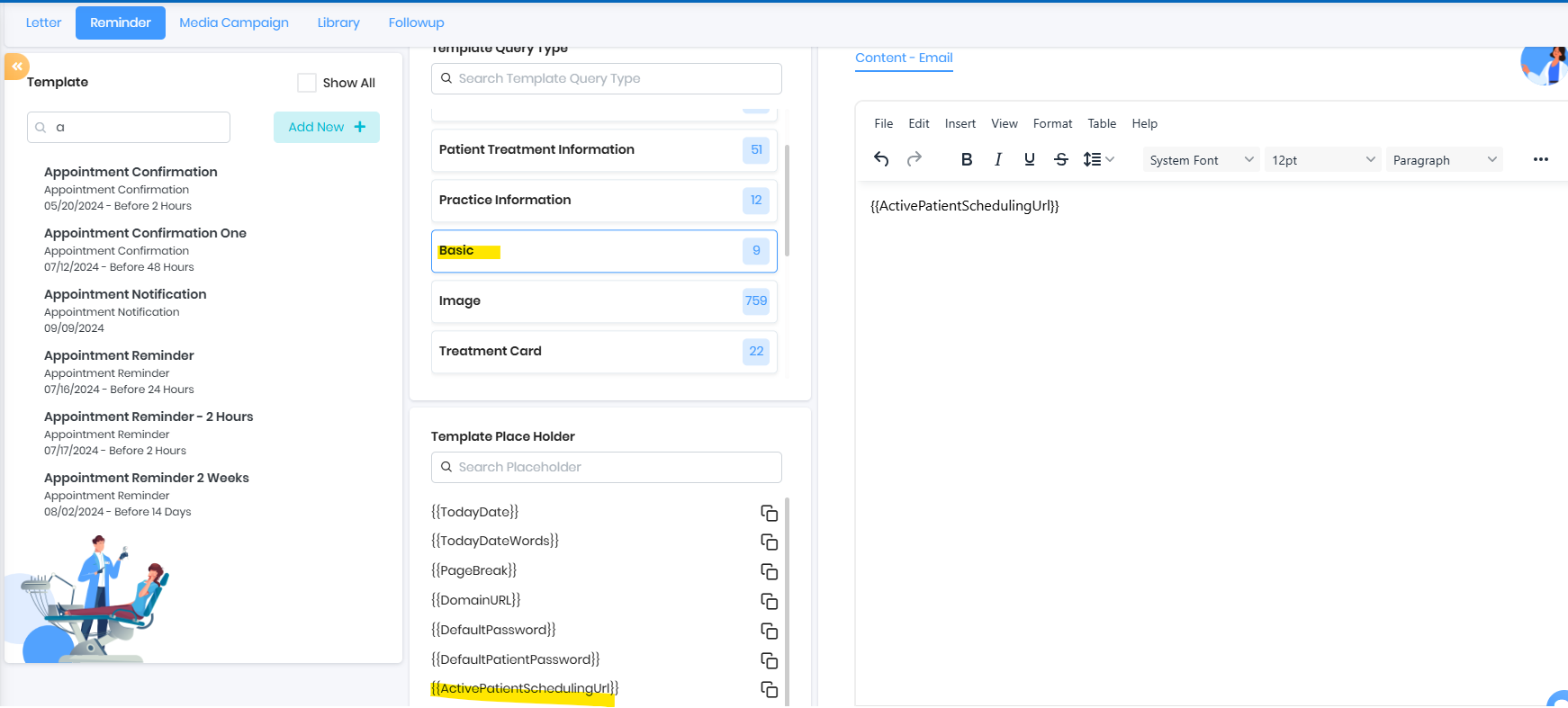
- Under Template Query Type => Basic you can find {{ActivePatientSchedulingUrl}}
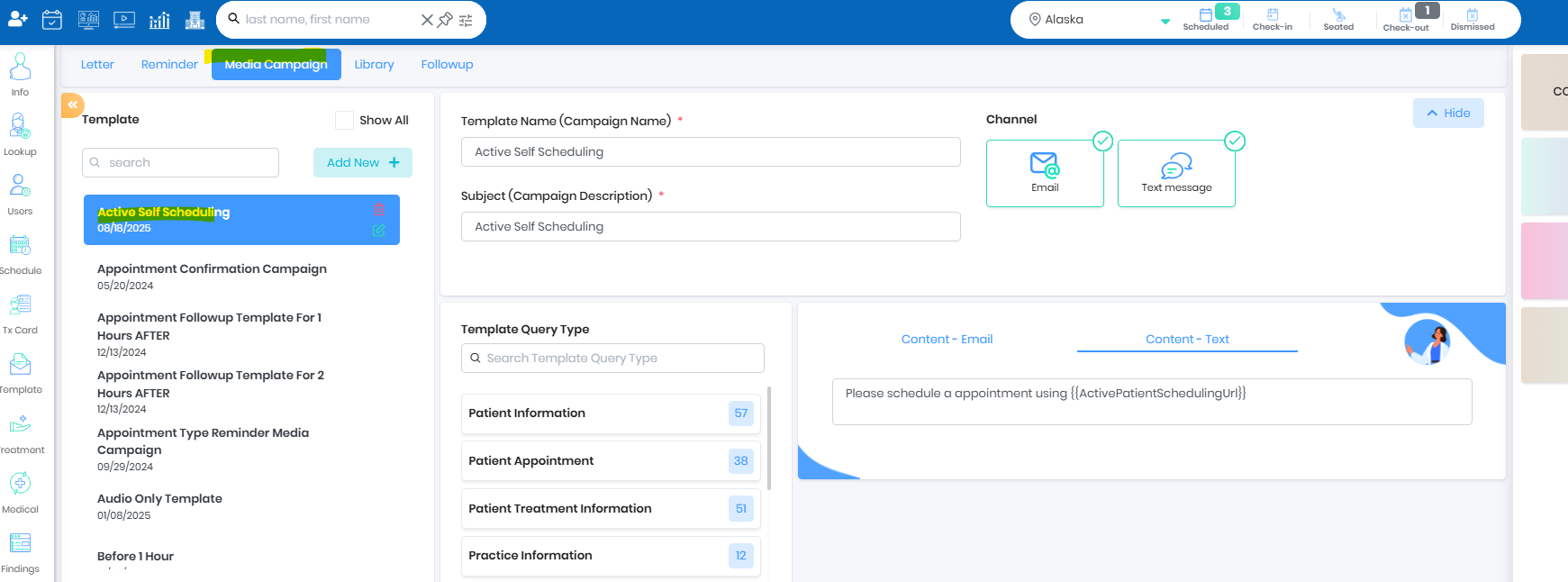
- Create a template for Active Patient Scheduling Reminder in Media Template and share the template with patient using 3 dots from the patient chart
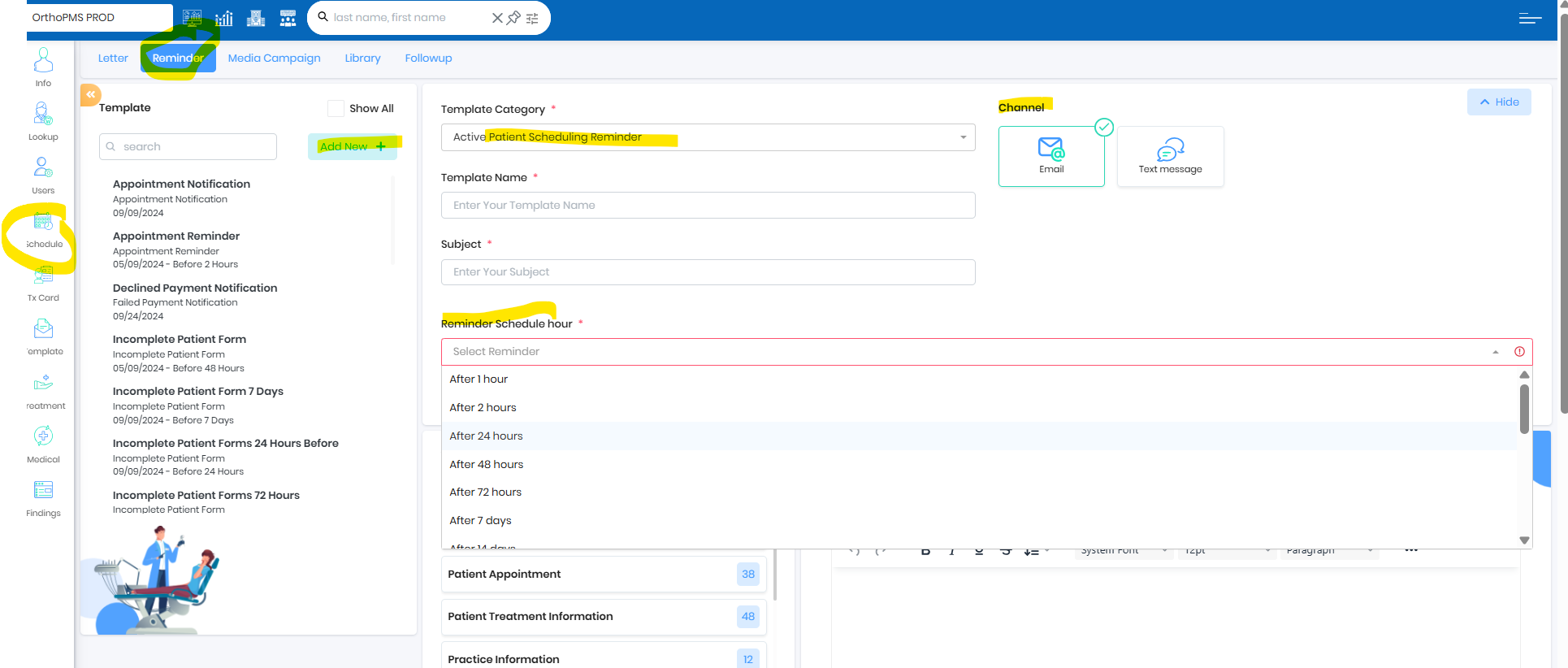
- Create a template with category Active Patient Scheduling Reminder in Reminder Template and from chat pop use quick text notification to share with patients
Set up Reminder Templates for automation
- Enable Active Patient Scheduling Reminder accordingly
- Multiple Active Patient Scheduling Reminder template should be configured using Reminder Schedule hour
Live Ops
- NV appointment type (Self Scheduled Type) and NV duration should be filled out (Seated) before dismissing the patient
- Self scheduling indicator will indicate that the next visit appointment is self scheduling during dismiss
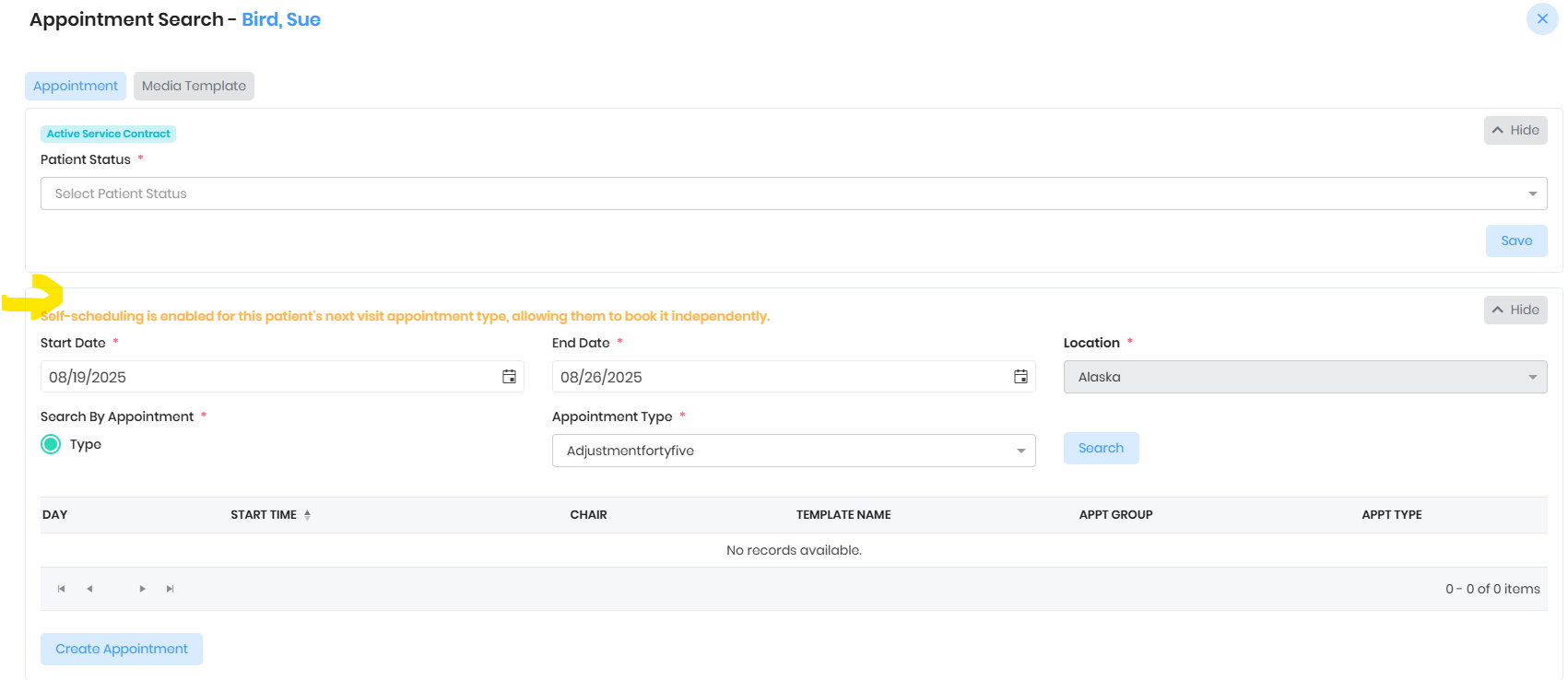
- Office can either schedule or allow patient to schedule the respective appointment
Patient Engagement
- Office staff can send the Active Self Scheduling URL using Chat
- Office staff can send the Active Self Scheduling URL using 3 dots from the patient chart
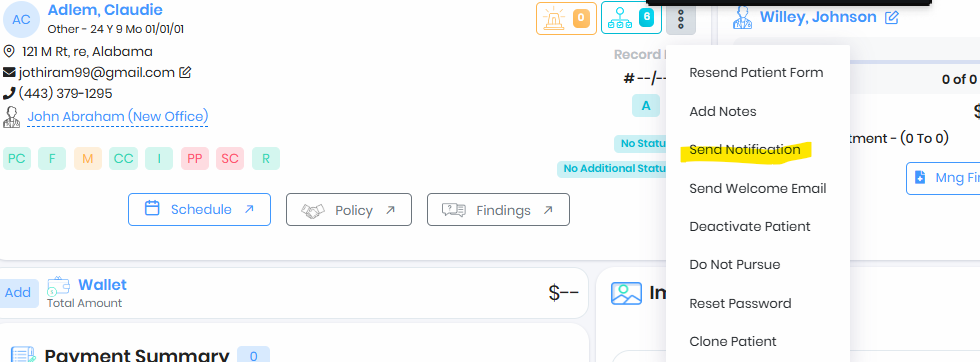
- Patient should receive active patient URL via Text/Email
- Patient can click on the URL to find the slots on the specified duration and schedule an appointment
- Once appointment is scheduled the URL will not allow the patient to create another appointment
- Office can cancel the booked appointment and resend the link or patient can use the existing link if the appointment type and duration has not changed
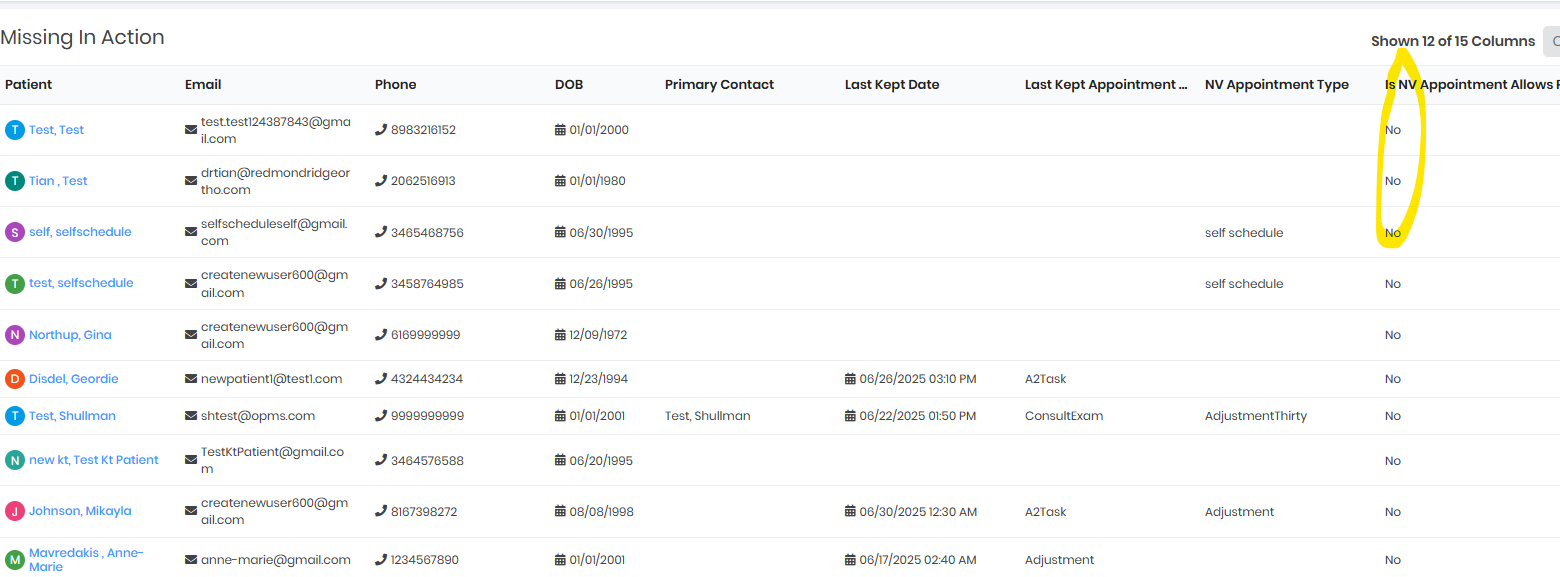
MIA Report
Report will show the patients who are self scheduled
Was this article helpful?
That’s Great!
Thank you for your feedback
Sorry! We couldn't be helpful
Thank you for your feedback
Feedback sent
We appreciate your effort and will try to fix the article