Need Earlier Appointment Feature
1️⃣ During Appointment Scheduling
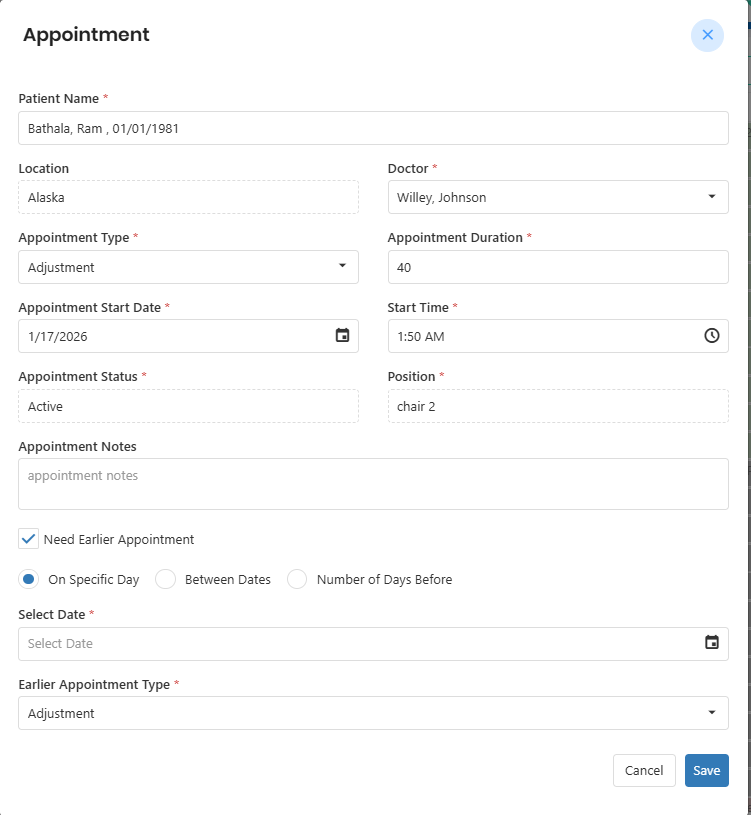
When the office schedules an appointment, the Appointment Widget will display a “Need Earlier Appointment” option.
If selected, the system allows the office to choose one of the following preferences:
Specific Date – Search for openings on a particular day
Date Range – Search between selected start and end dates
Number of Days Earlier – Search for availability within a defined number of days before the currently scheduled appointment
This allows the office to proactively accommodate patients who want an earlier visit.
Early Appointments Button (Daily Schedule View)
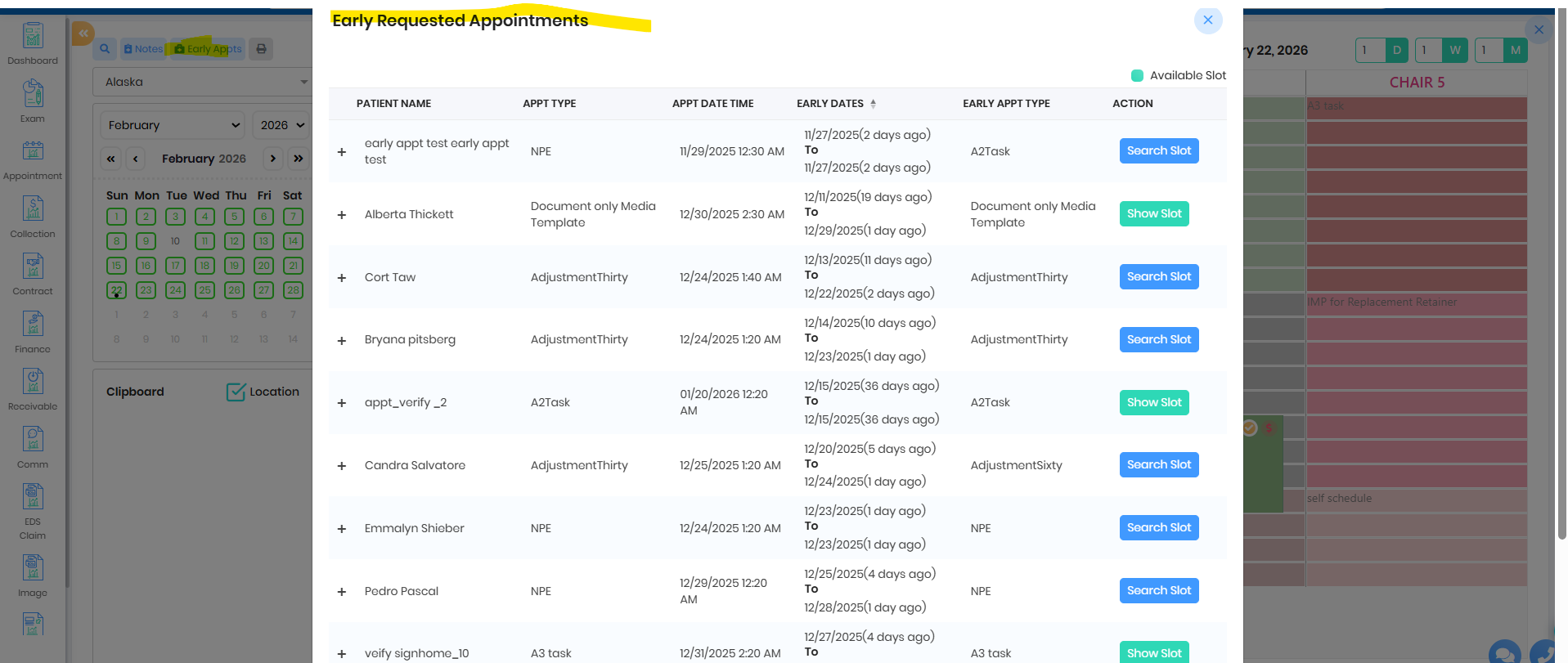
On the Daily Schedule, an “Early Appts” button will be available.
When clicked:
It displays a list of patients who requested earlier appointments
The office can:
Search for available slots
View suggested openings
Reschedule directly from the list
This helps front desk teams efficiently manage earlier appointment requests without manual tracking.
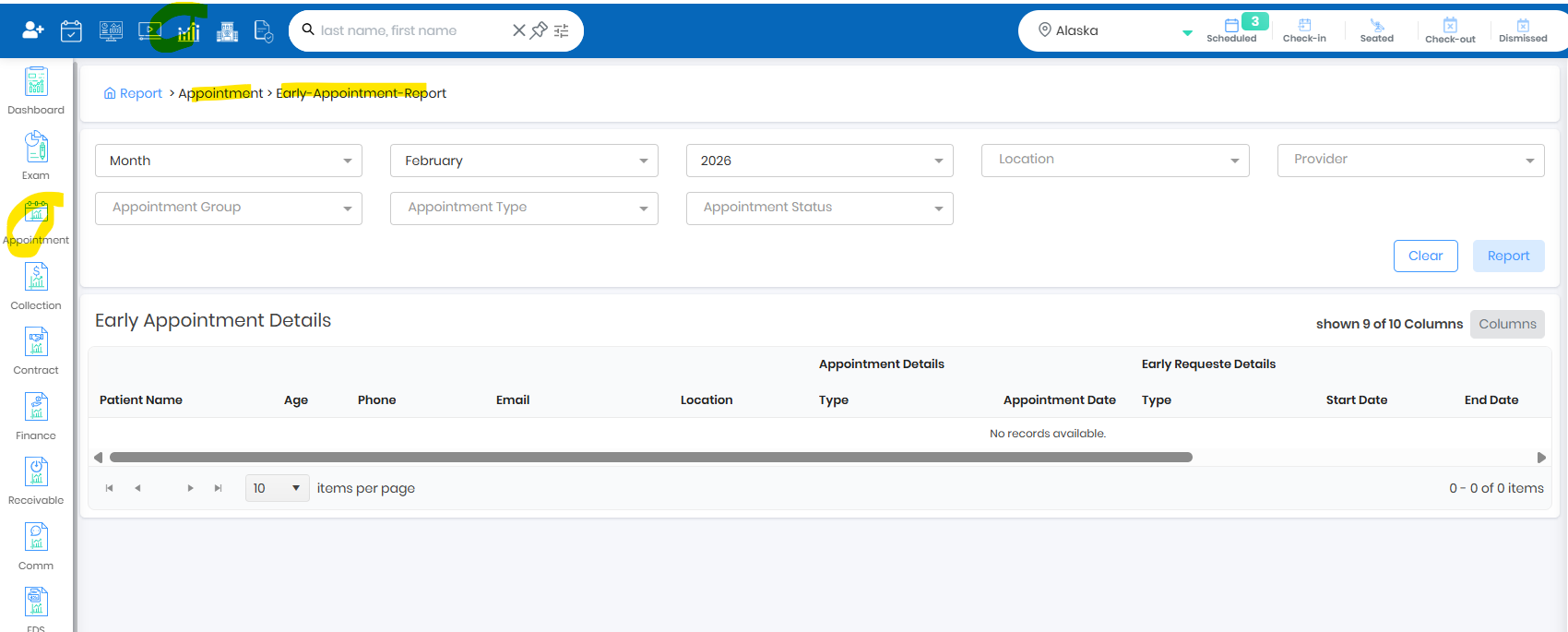
Report
Was this article helpful?
That’s Great!
Thank you for your feedback
Sorry! We couldn't be helpful
Thank you for your feedback
Feedback sent
We appreciate your effort and will try to fix the article